
ilyStream + AI models
Power the AI Co-Host with a local Ollama model, or with OpenAI, Anthropic or Google Gemini.
What AI models does in ilyStream
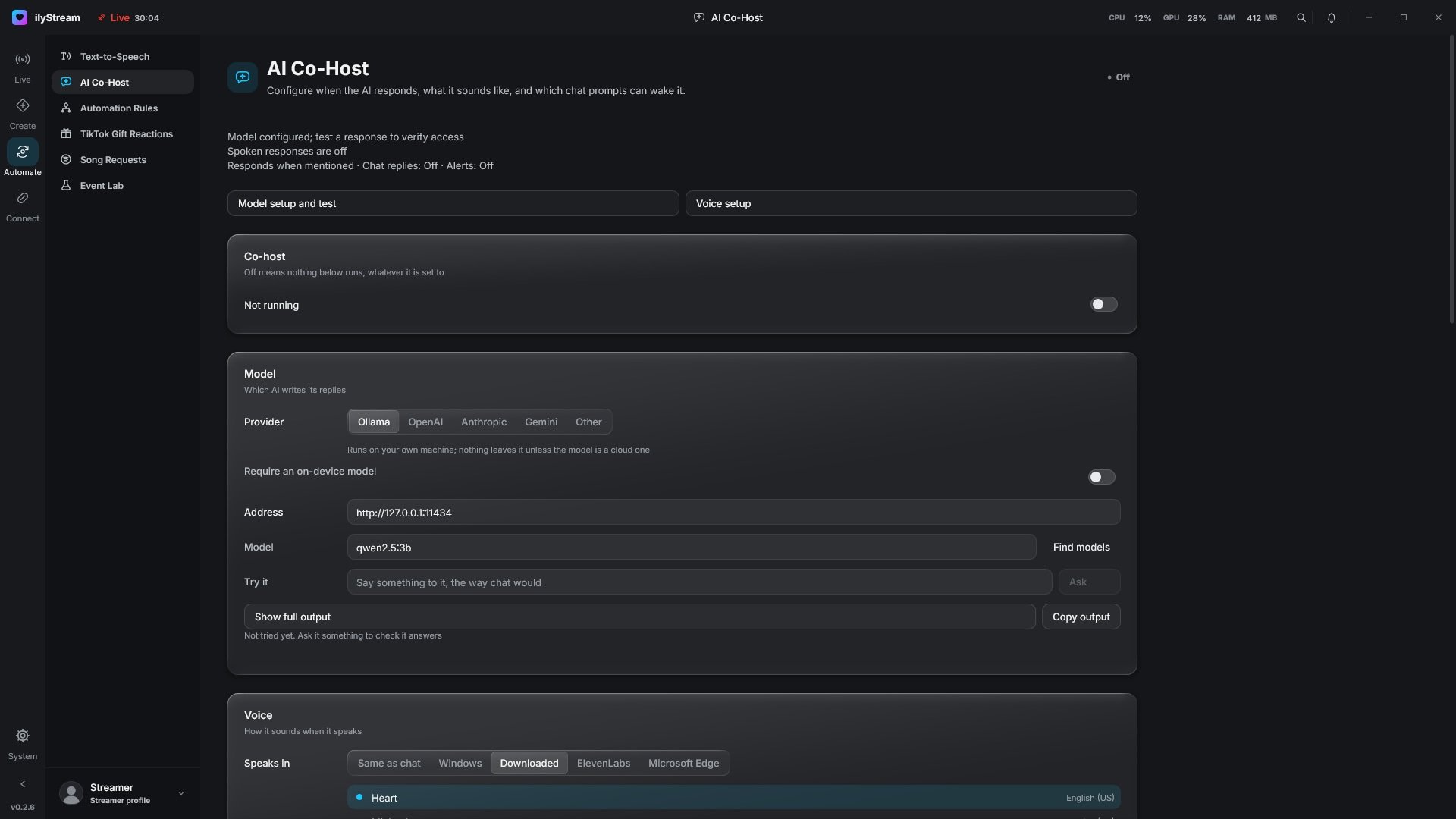
- Run the AI Co-Host on your own machine with Ollama, at an address you choose (http://127.0.0.1:11434 by default).
- Or choose OpenAI, Anthropic, Google Gemini or another provider to write its replies.
- Find the models available at your Ollama address, and try the co-host before your audience hears it.
Where to find it
- 1Open ilyStream
Start from the app’s main navigation.
- 2Go to Automate → AI Co-Host → Model
The integration lives here in the current app.
- 3Connect or configure AI models
Use the controls on that page to finish the integration and choose how it behaves.
What it looks like
Data & privacy
- What ilyStream uses
- The chat prompts that wake the co-host, sent to the model you choose so it can write a reply.
- Where it goes
- With Ollama, prompts stay on your machine unless you pick a cloud model. With OpenAI, Anthropic, Google Gemini or another hosted provider, prompts are sent to that provider and handled under their terms.
ilyStream does not sell data from AI models. Questions or deletion requests: privacy@ilystream.app · Data requests
Ollama, OpenAI, Anthropic, and Google Gemini are trademarks of their respective owners. ilyStream is an independent product and is not affiliated with or endorsed by them.