'/%3e%3cpath%20fill='%2305070d'%20d='M32%2044.5c-.9-.6-14-8.6-14-17%200-4.1%203.1-7.3%207-7.3%202.9%200%205.4%201.7%207%204.3%201.6-2.6%204.1-4.3%207-4.3%203.9%200%207%203.2%207%207.3%200%208.4-13.1%2016.4-14%2017z'/%3e%3c/svg%3e)
Streaming software,
reimagined
ilyStream brings broadcasting, chat, audience insights, overlays, automation, AI and your creator ecosystem into one native studio.
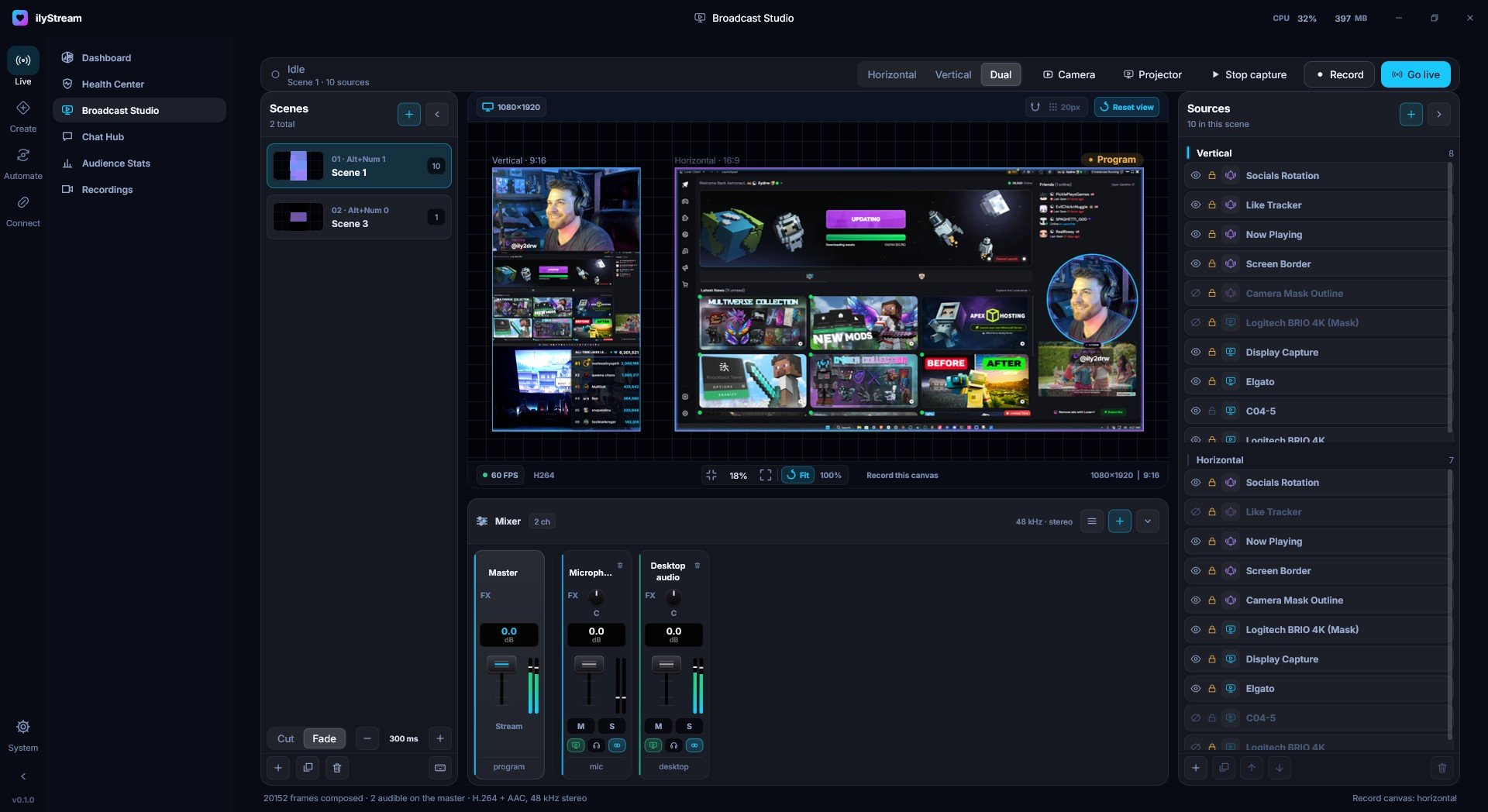
Everything in one window
The app is organized into five areas, the same five you see in its navigation rail.
Horizontal, vertical, or both at once
Broadcast Studio lays out a 16:9 and a 9:16 canvas side by side, each with its own sources. Mix your audio, then record or go live without leaving the window.
Every platform on one dashboard
See which platforms are connected, how fast chat is moving and how many people are watching across all of them. Audience Stats keeps the totals and remembers who keeps coming back.
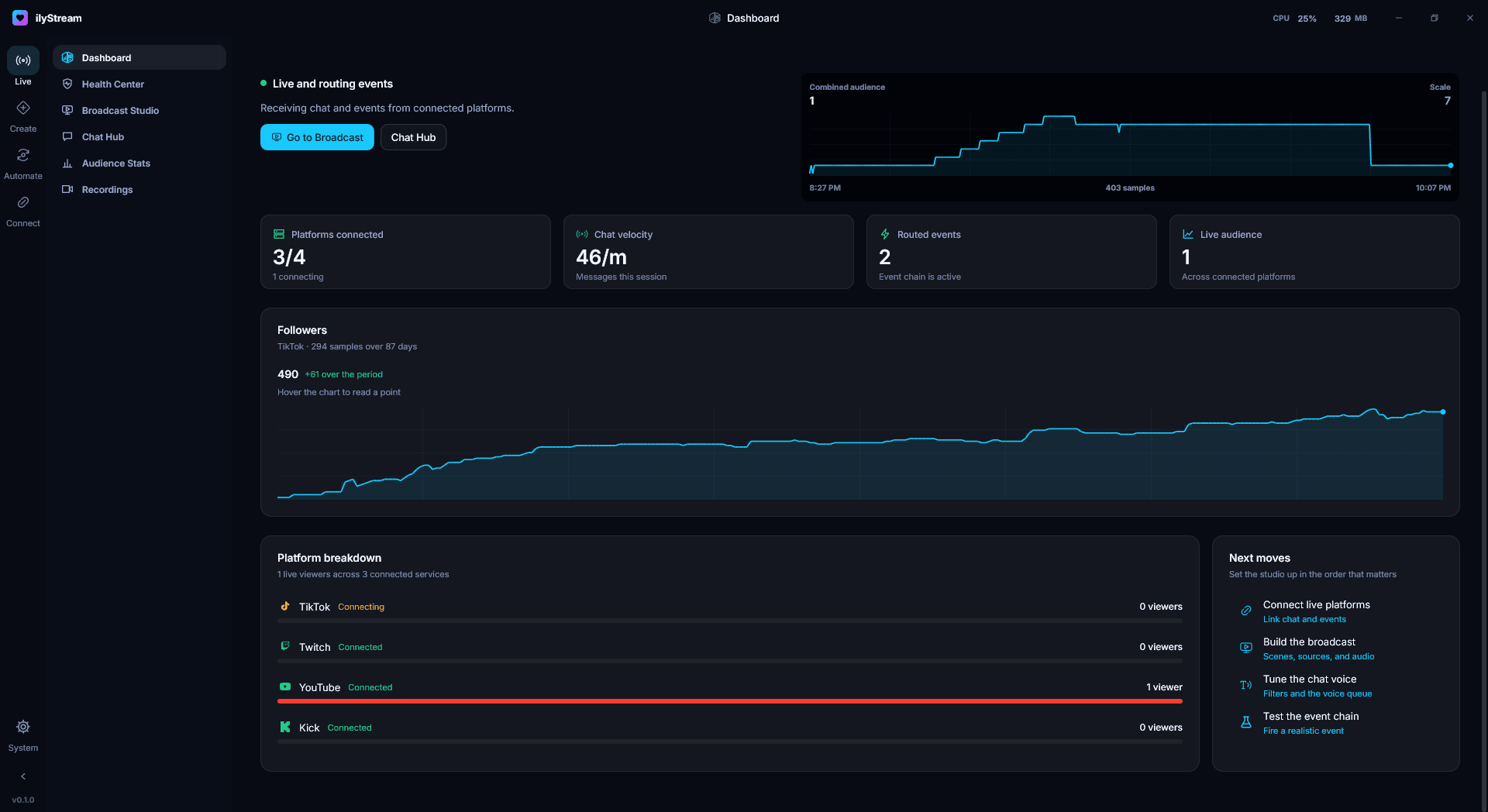
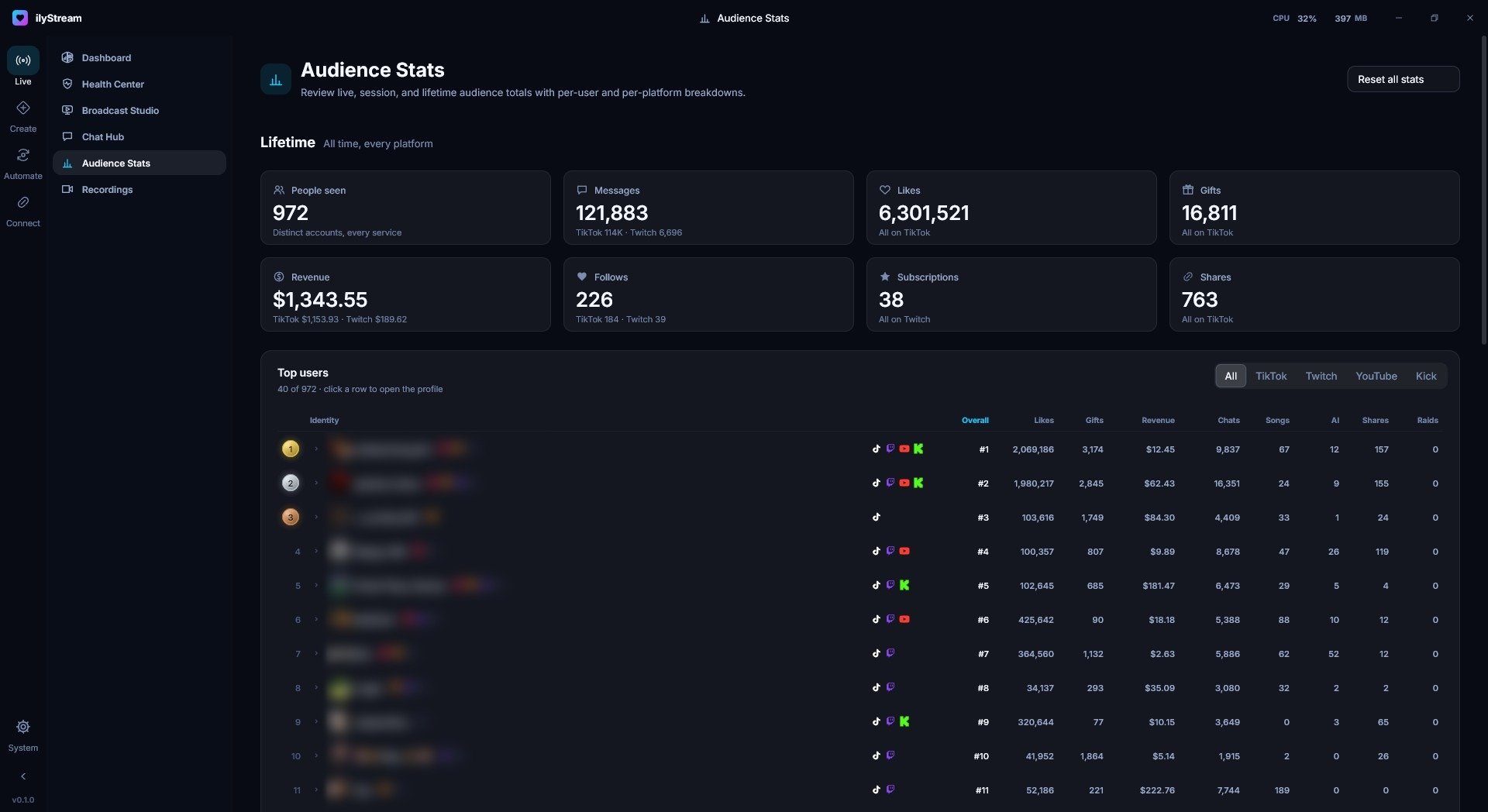
Dashboard and Audience Stats. Viewer names are blurred in these screenshots.
- One audience
- TikTok, Twitch, YouTube and Kick viewers are counted together.
- Lifetime totals
- People seen, messages, likes, gifts, revenue, follows, subscriptions and shares.
- Your regulars
- Nine stats per person, from likes and gifts to songs requested and raids. Click anyone to open their profile.
Overlays and widgets, built in
Start from one of 17 templates. Every widget is its own browser source, so it drops straight into a scene.
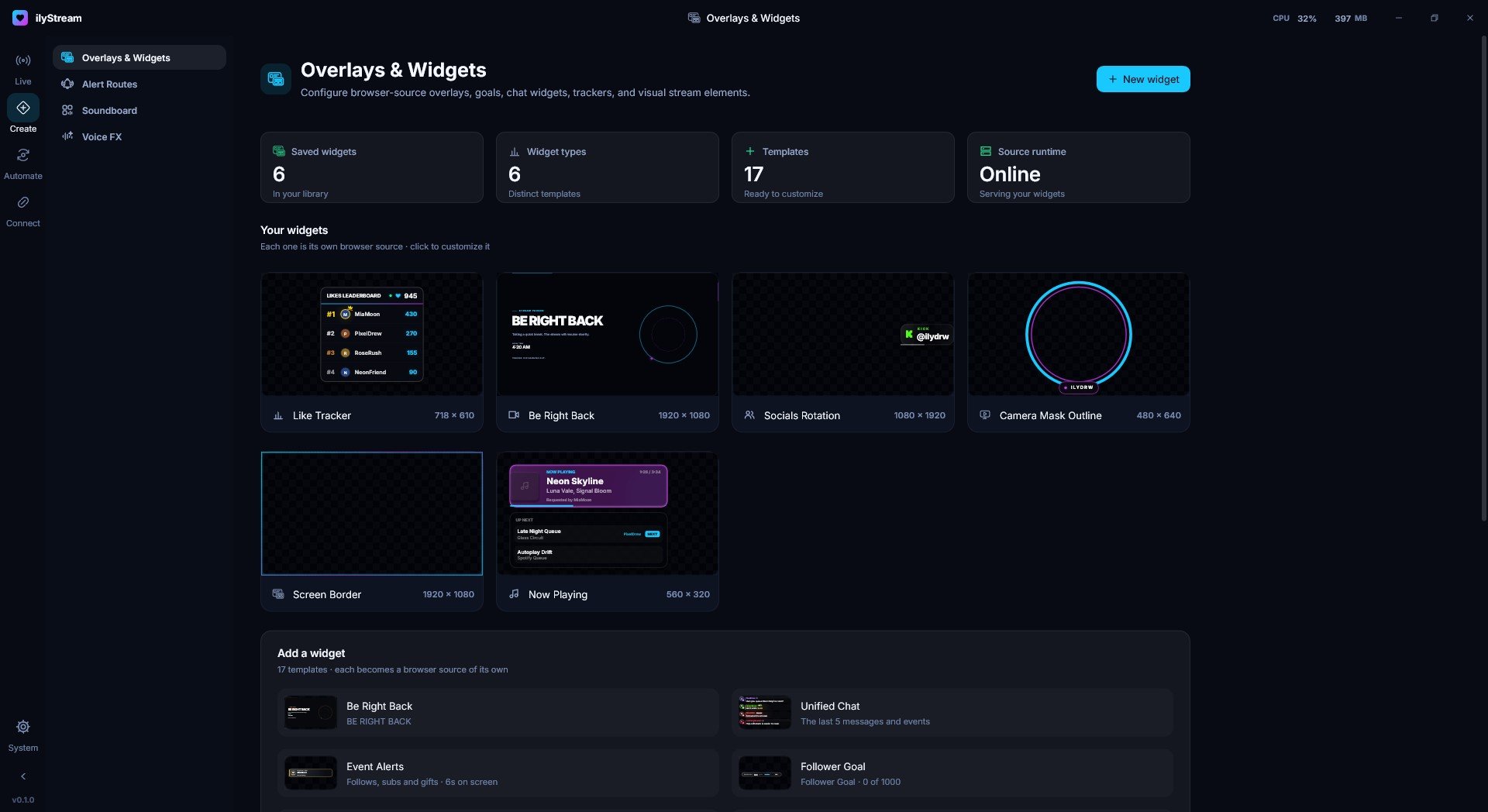
Other templates include Unified Chat, Event Alerts, Follower Goal, Socials Rotation and Screen Border.
Automation shouldn’t require five other programs
Text-to-speech, an AI co-host, song requests and event automation live alongside your broadcast.
Text-to-Speech
Choose who gets read aloud: followers, subscribers, moderators or everyone. Use a Windows voice, an on-device voice or ElevenLabs.
ElevenLabs API keys are stored in Windows Credential Manager.
Text-to-Speech guide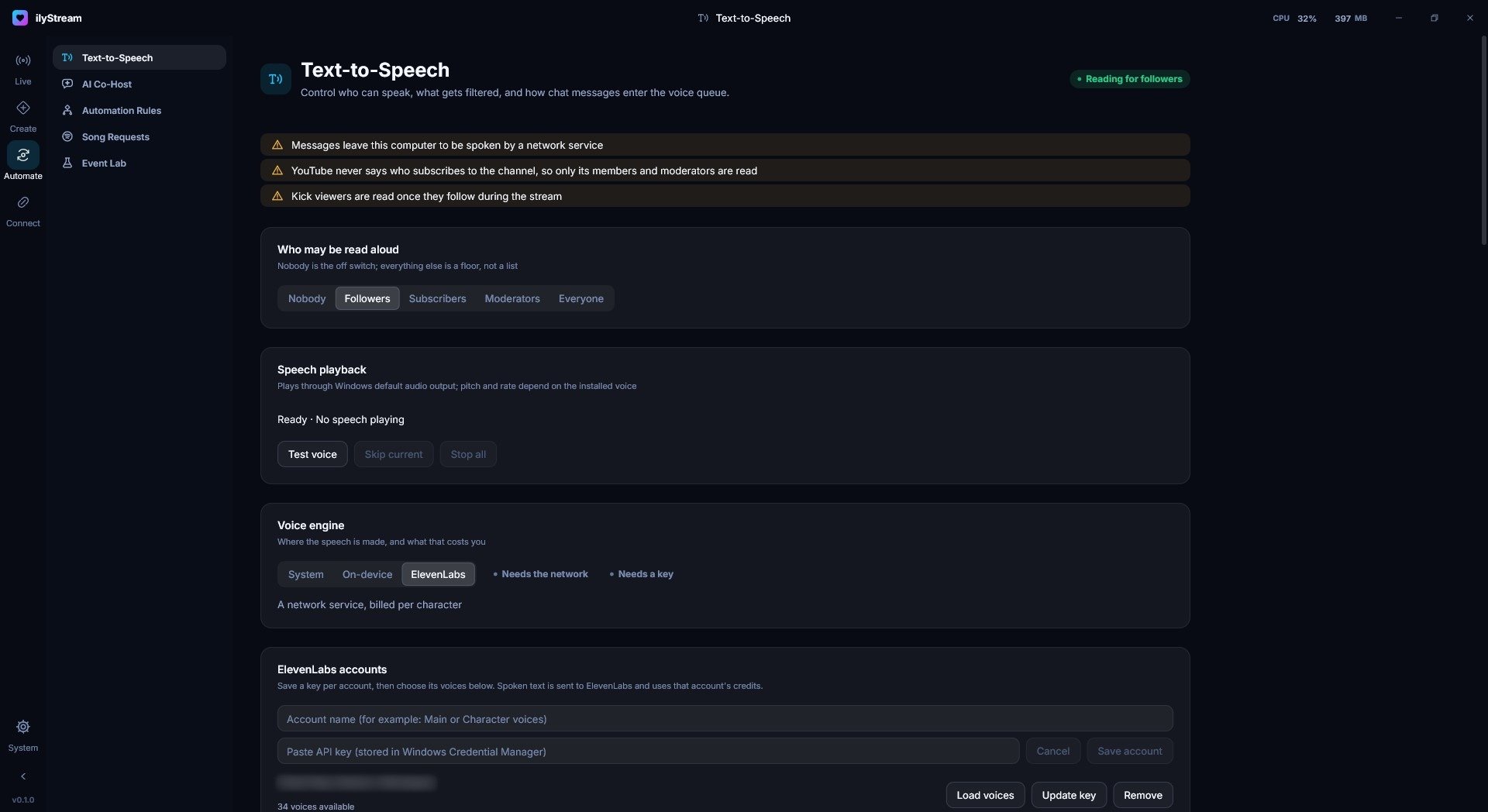
AI Co-Host
A co-host that answers chat prompts out loud. Run it on your own machine with Ollama, or use OpenAI, Anthropic, Gemini or another provider.
It speaks with any installed or ElevenLabs voice, and you can test it before your audience hears it.
AI Co-Host guide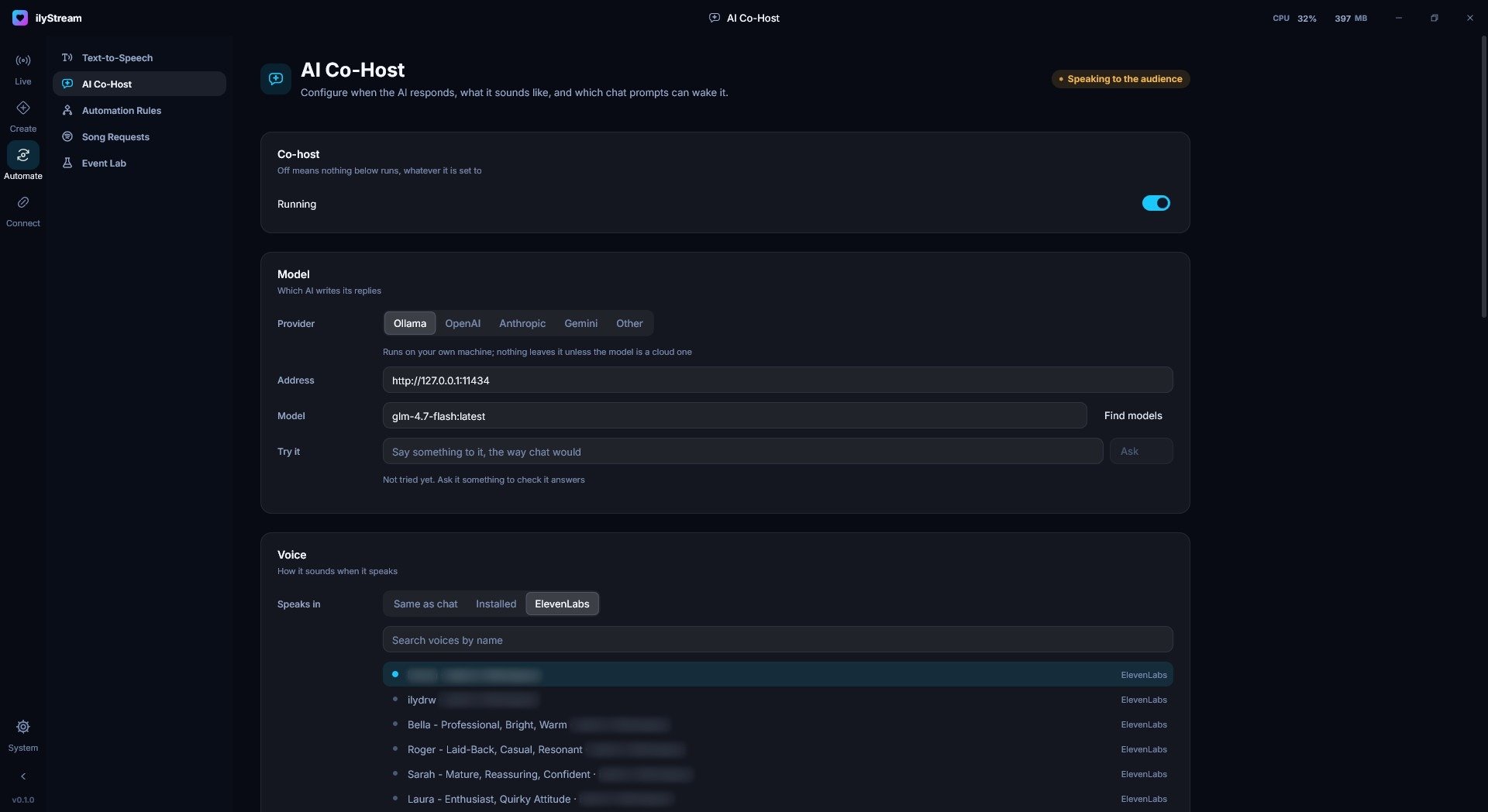
Song Requests
Sign in with Spotify and set the rules: requests per person, queue size, the longest track allowed, and who can request.
In 0.1.0, playback control isn’t connected yet.
Song Requests guide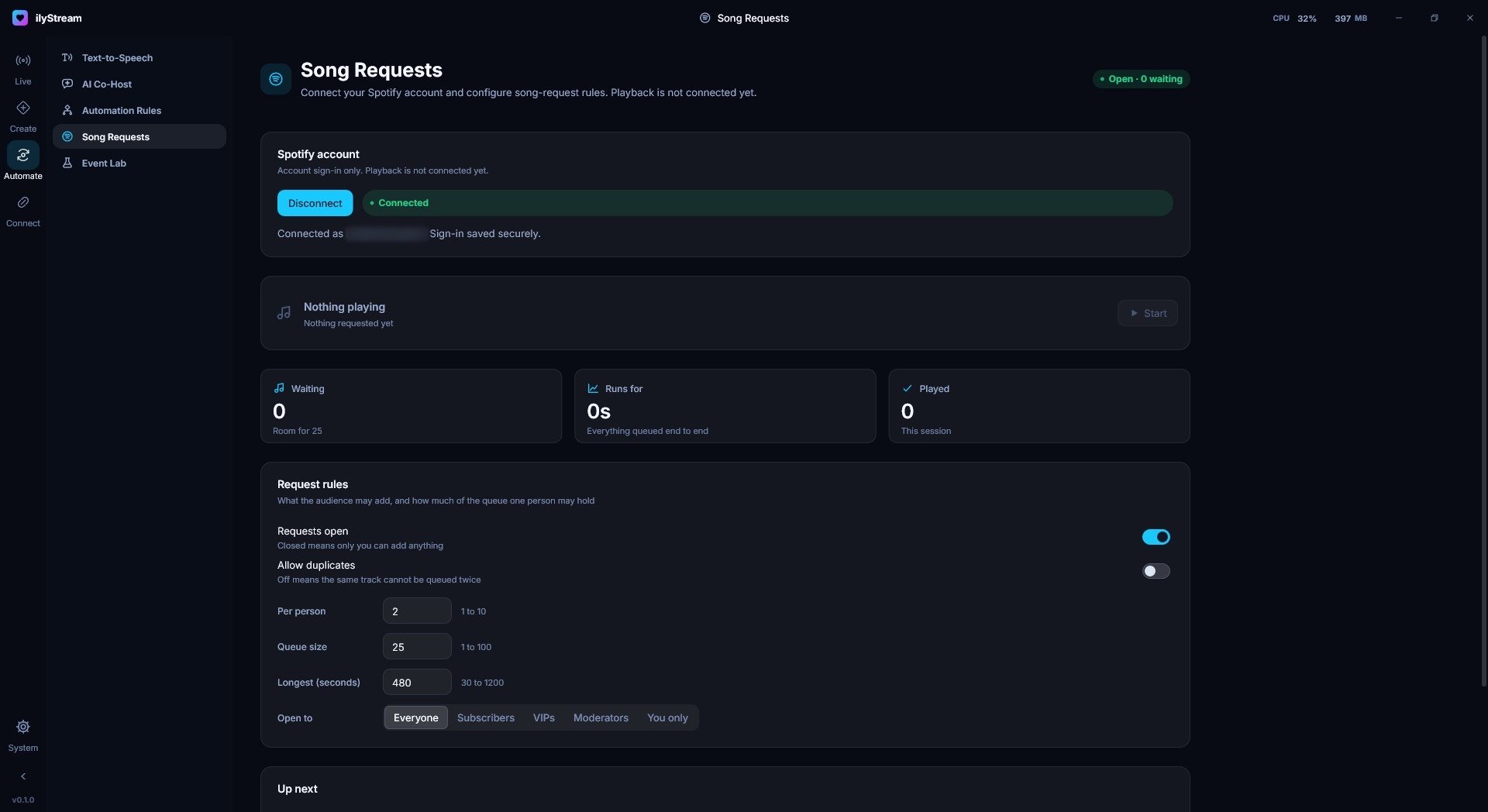
Event Lab fires realistic test events, so you can check your alerts, widgets and lights before you go live. Set up your first stream
Connect your platforms, lights and peripherals
Chat and events from every connected platform drive the same alerts, automations and lights.
Spotify
Sign in with Spotify to take song requests, with a queue and rules you control.
How it works with Spotify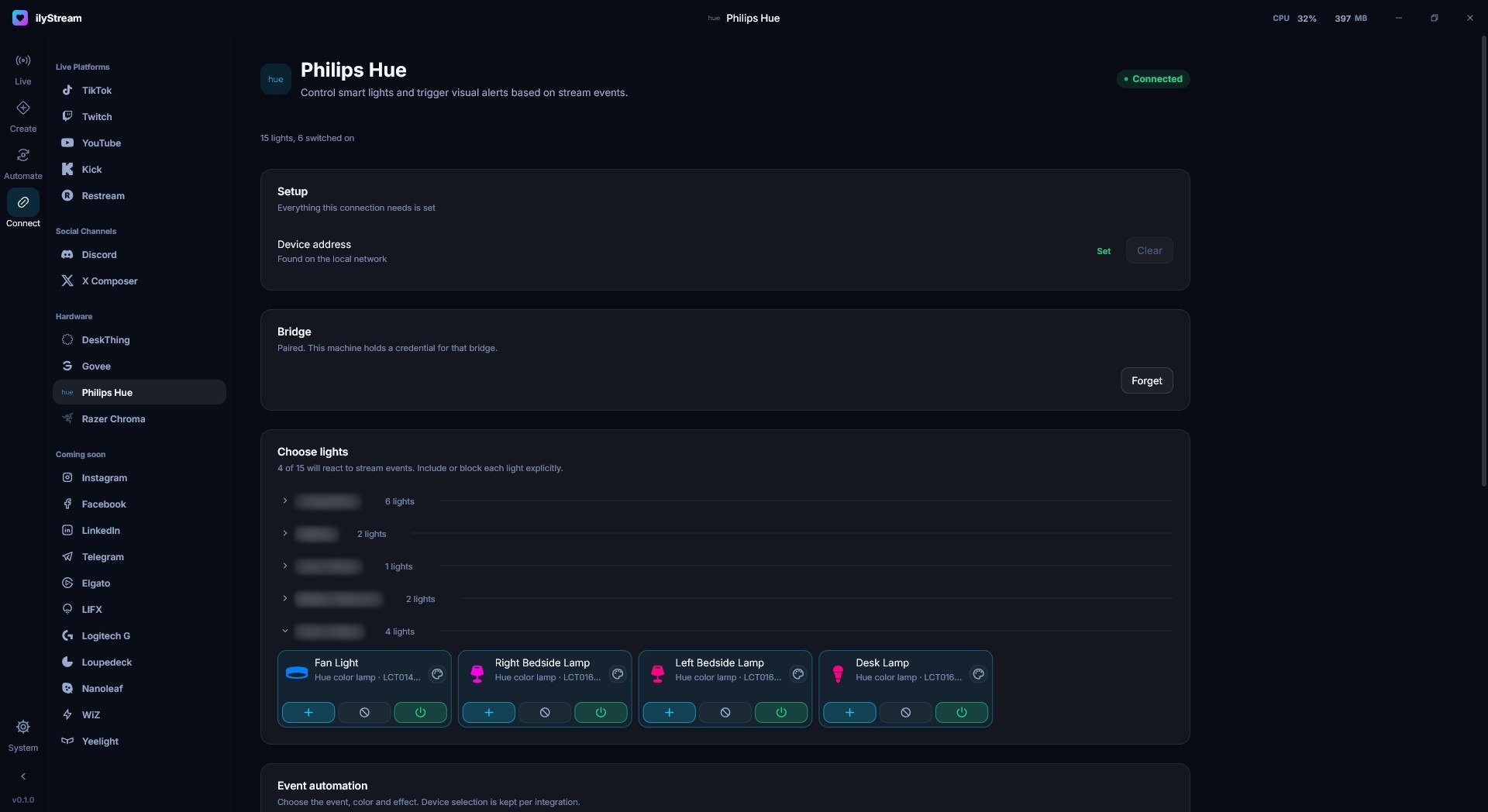
Philips Hue
Pick which lights react to stream events, room by room.
How it works with Philips Hue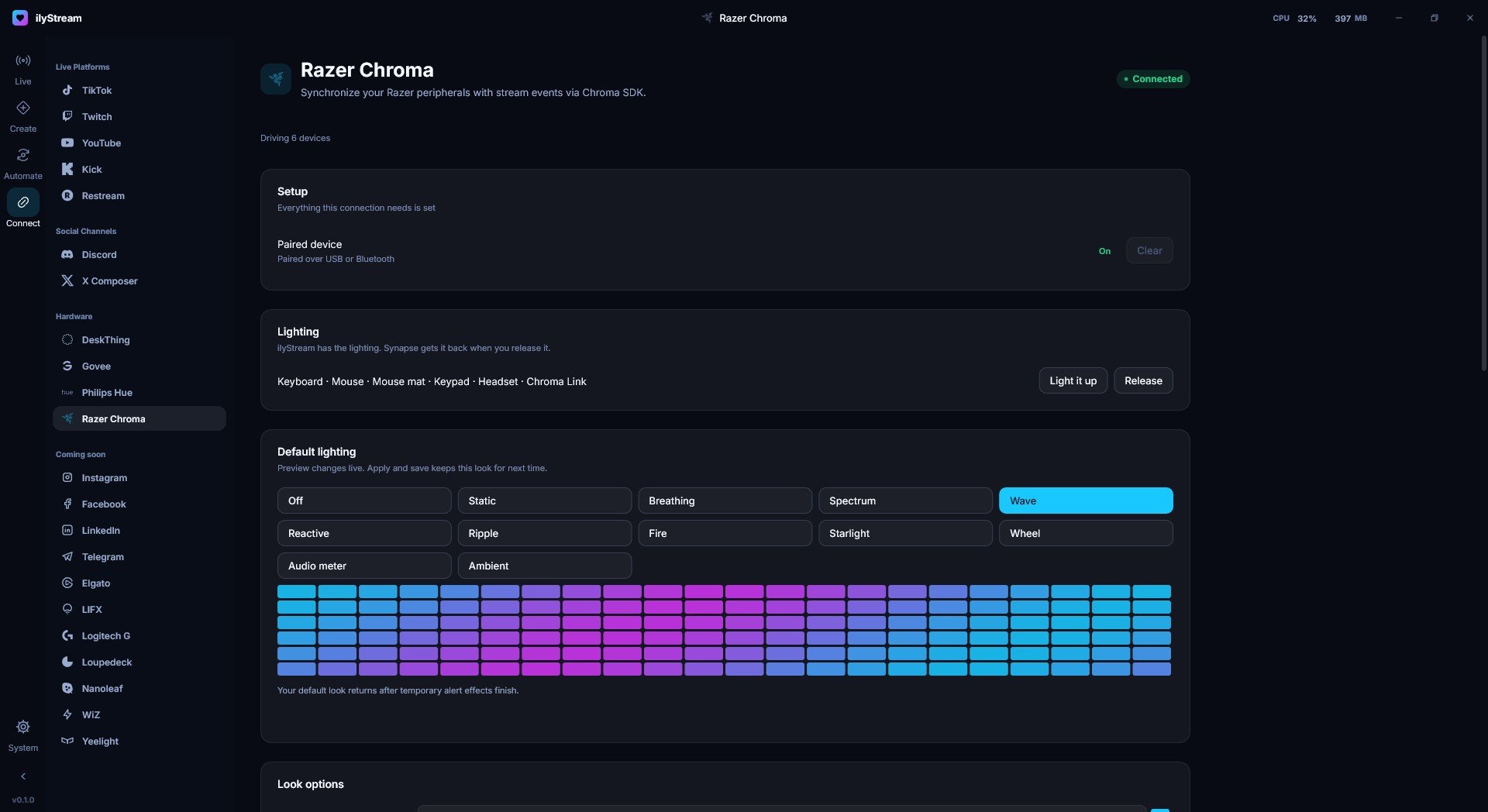
Razer Chroma
Set a default lighting effect for your Razer devices, with alerts played on top.
How it works with Razer Chroma
Everything ilyStream connects to
What each one does, and the data it usesVoice & AI
Music
Lighting & hardware
Listed as coming soon in the app: Instagram, Facebook, LinkedIn, Telegram, Elgato, LIFX, Logitech G, Loupedeck, Nanoleaf, WiZ, Yeelight.
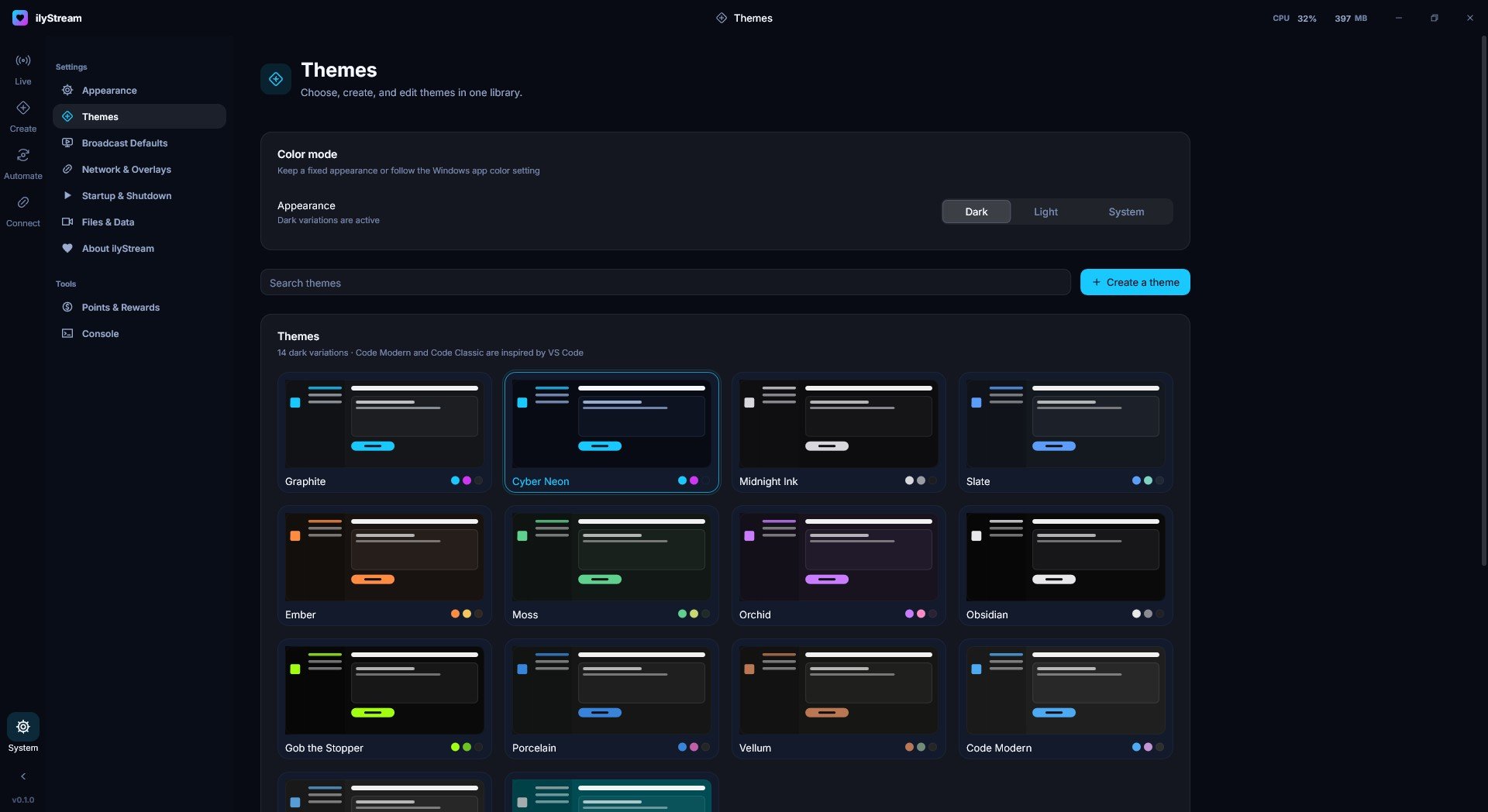
14 dark themes, or build your own
Pick a theme, choose Dark, Light or System to follow Windows, or create your own. Code Modern and Code Classic are inspired by VS Code.
Preview a theme’s accent color on this page:
What stays on your PC
ilyStream runs on your PC, and most of what it works with stays there.
- Your stream data
- Chat, events, audience stats and settings are stored on your computer, not on servers run by us.
- Local AI and voices
- The AI Co-Host can run on your own machine with Ollama, and Text-to-Speech can use Windows or on-device voices.
- Your keys
- API keys you add, like an ElevenLabs key, are kept in Windows Credential Manager.
- Network use, labeled
- Features that send data to a network service say so right where you turn them on.
Your stream deserves better software
Broadcast, create, automate and connect from one studio.