Multistream
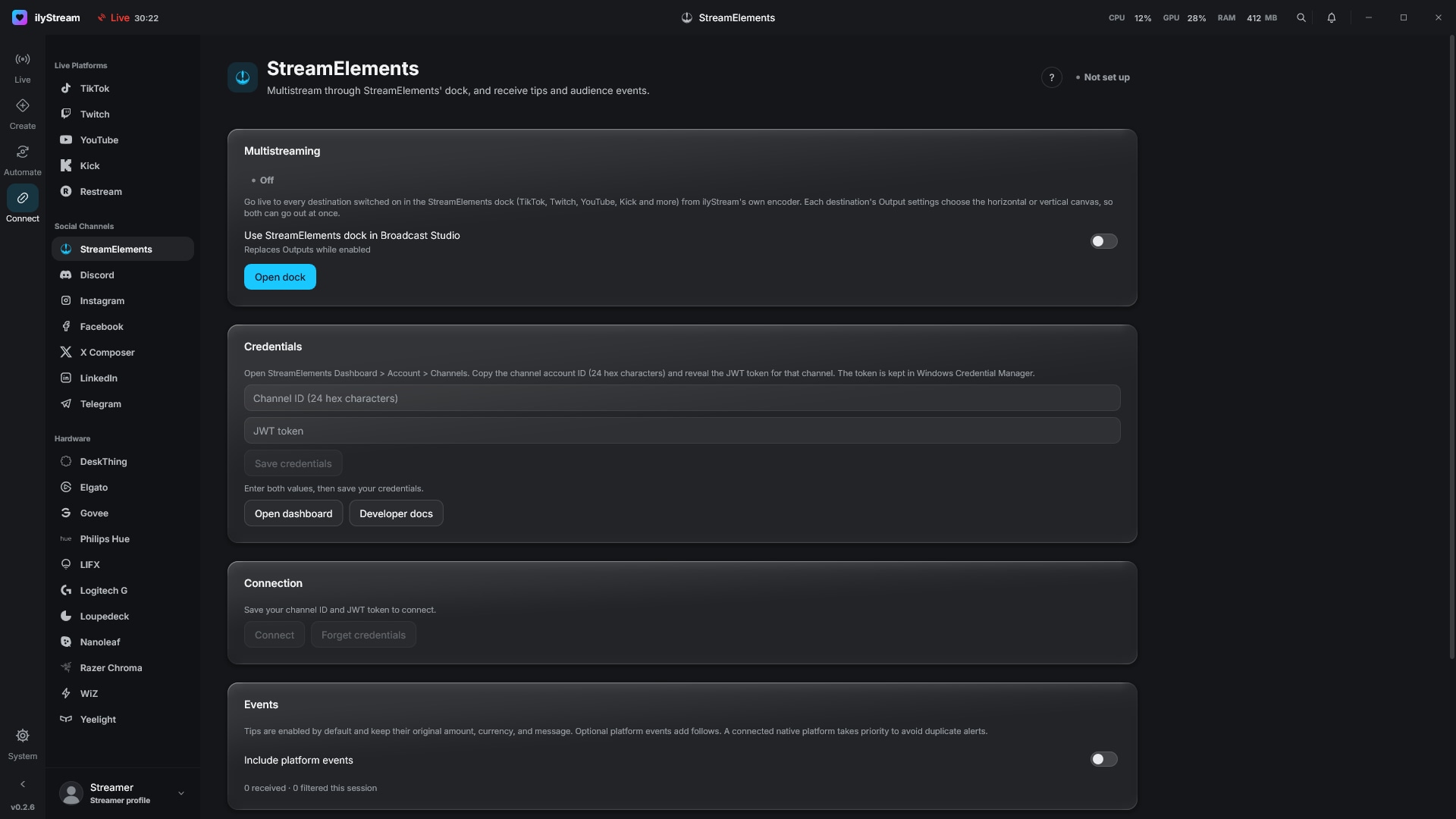
TikTok, Twitch, YouTube, Kick. Together. The StreamElements dock prepares your destinations and ilyStream sends the video from its own encoder.
Native 0.2.6 · open full screenshot Choose the horizontal or vertical canvas separately for each destination. Sign in, enable destinations and complete their title/category prompts in the dock. Use H.264. Available destinations and platform eligibility depend on your account. Tips and events keep their separate connection. Set up StreamElements multistreaming ↗ Studio
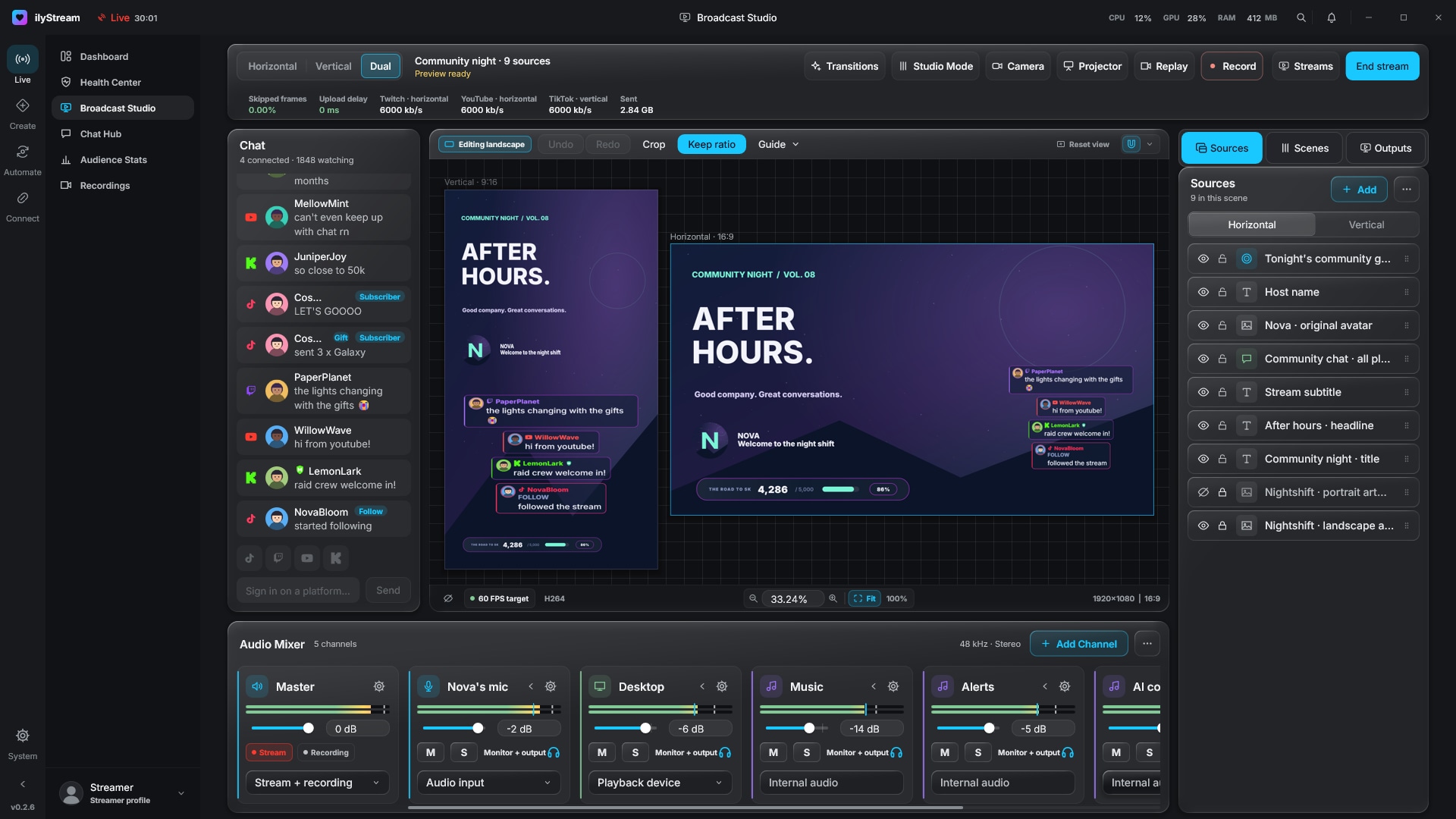
A workspace for every part of the show. Switch between Custom, Build, Live and Focus layouts, then return to your saved Custom arrangement.
Native 0.2.6 · open full screenshot Use Ctrl+K to find pages, settings and common actions. Keep output status and quick controls nearby with the production strip across pages. Preview source property changes before Apply or Cancel. Save Program screenshots as PNGs beside your recordings. Explore Studio ↗ Record
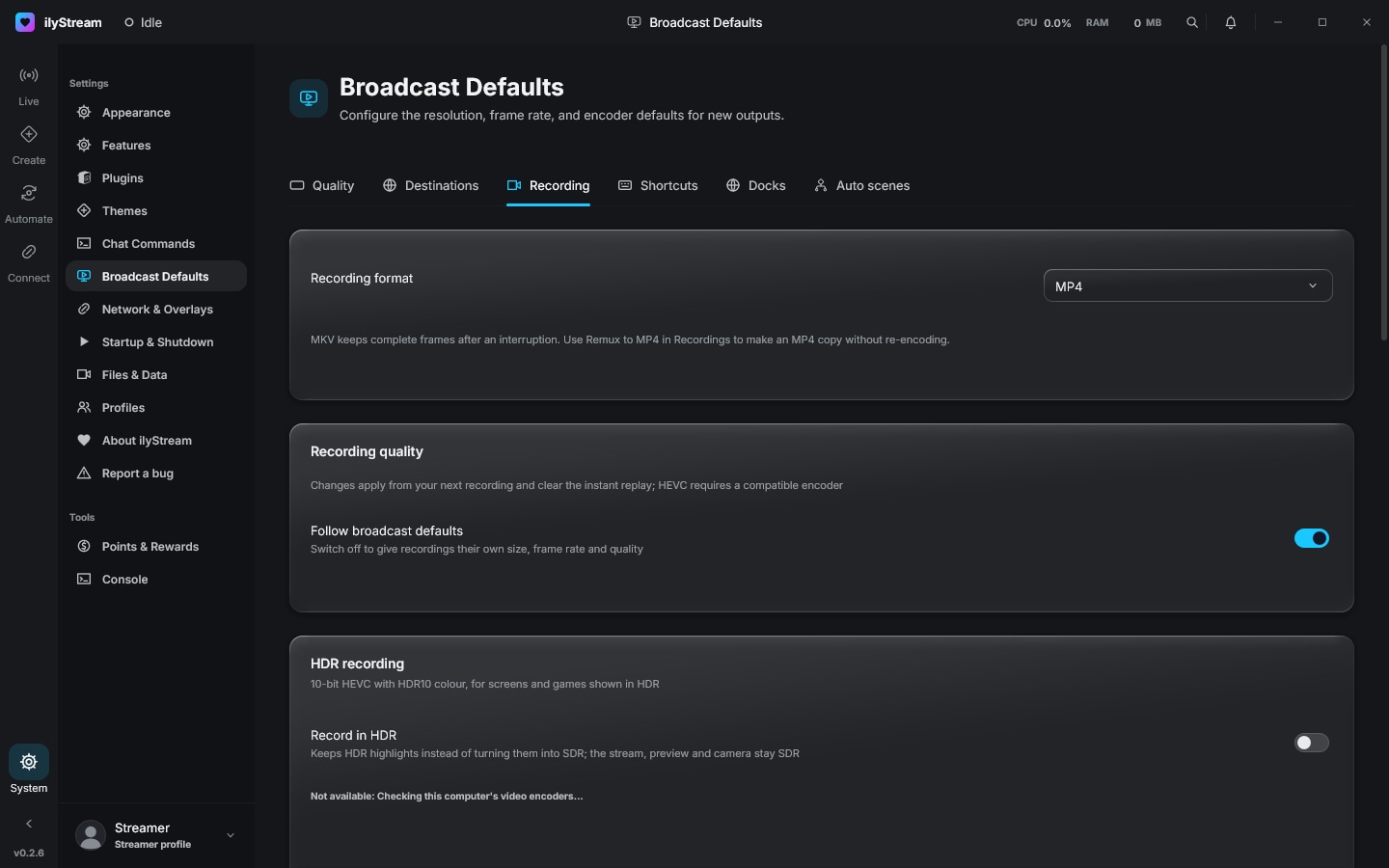
Choose the format your recording needs. Record in MP4 or MKV with H.264, HEVC or AV1, independently of your live stream.
Native 0.2.6 · open full screenshot Keep up to six numbered audio tracks and split recordings by duration or file size. Record HDR10 with a supported HDR source and 10-bit HEVC encoder; preview, stream and camera stay SDR. HDR disables replay. Remux supported MKV files without re-encoding, recover complete media from interrupted partial MKV, and filter your library by name, type or date. Recording and recovery ↗ Video connections
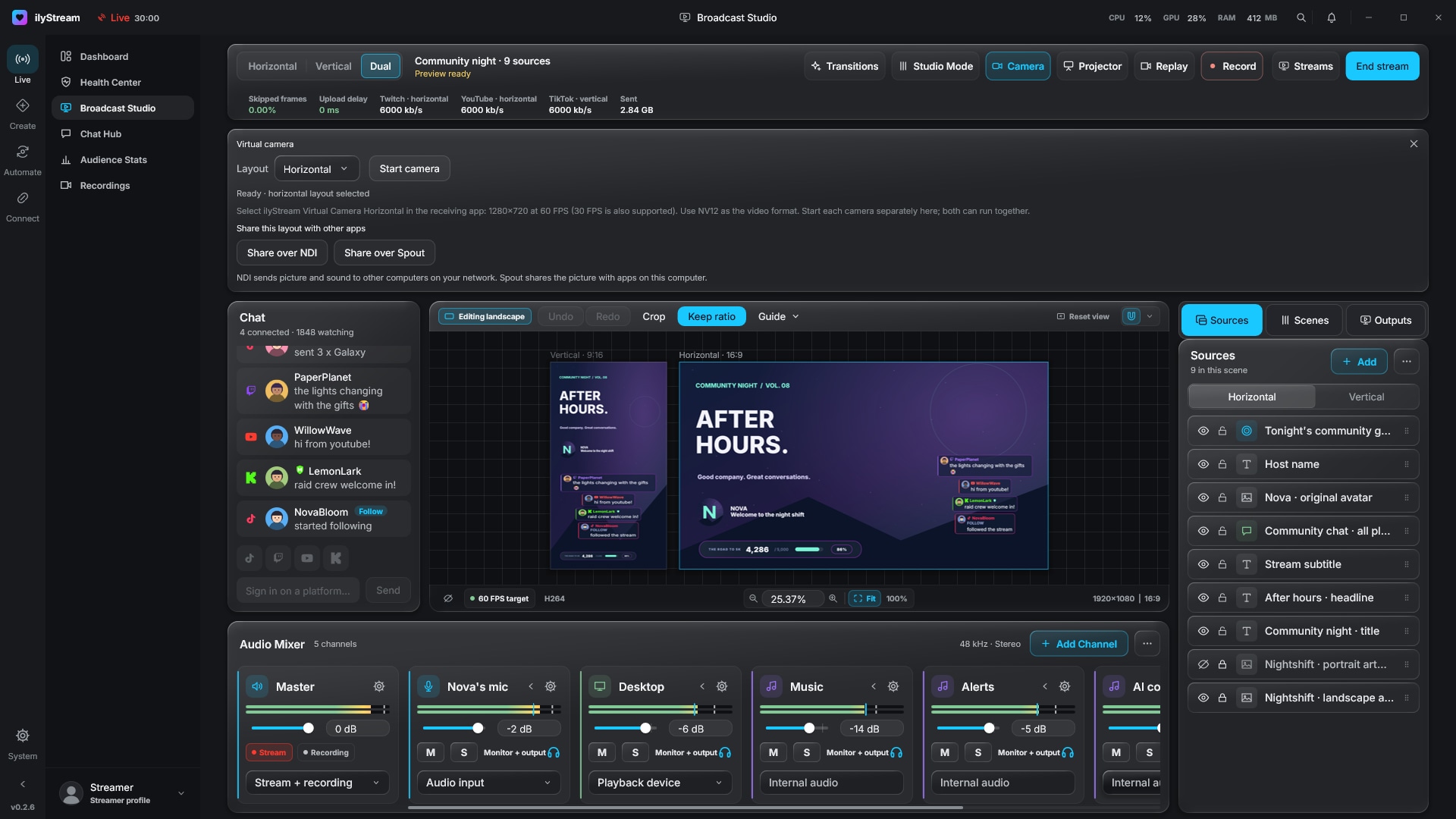
Connect the picture to the rest of your setup. Receive and share video through NDI or Spout, and publish to WHIP/WebRTC ingest endpoints.
Native 0.2.6 · open full screenshot Share horizontal and vertical Program separately. NDI carries video/audio across the network and requires its runtime. Spout shares GPU video with compatible apps on the same PC; route audio separately. WHIP uses H.264 and Opus. Configure the endpoint and optional Bearer token, then test your receiver. NDI and Spout setup ↗ Sources
Build the look, then bring it to life. Add image slideshows and give individual sources their own show and hide transitions.
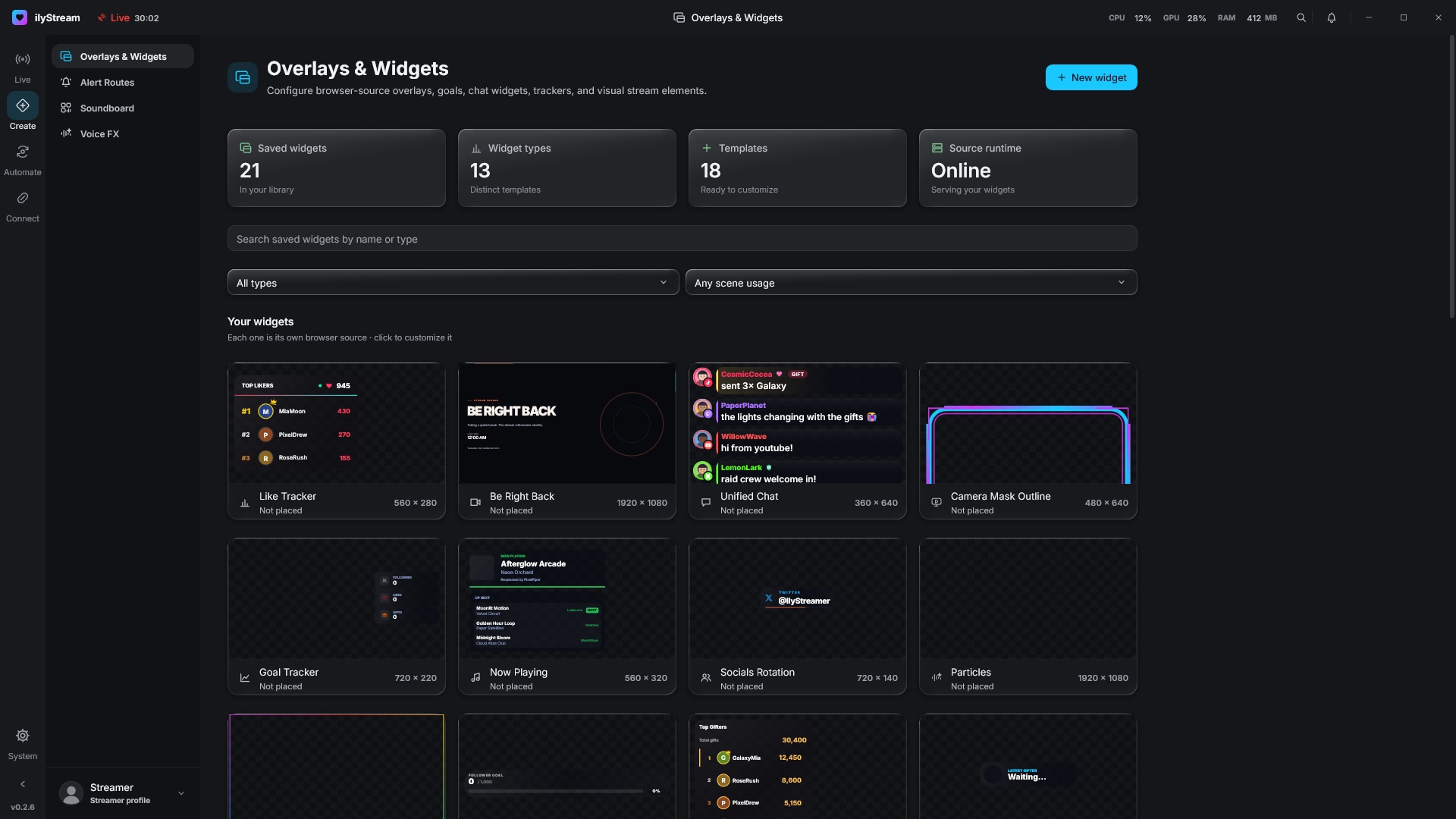
Native 0.2.6 · open full screenshot Use Cut, Fade, Slide, Zoom or Wipe, with separate show/hide settings. Control blend mode, scaling filter and render delay. Add luma key, .cube LUTs, smoothing and chroma spill suppression. Search saved widgets by name/type and scene use, then place them directly on one or both canvases. Sources, filters and transitions ↗ Scene automation
Let the scene follow what you’re doing. Automatic scene-switching rules respond to your desktop and broadcast.
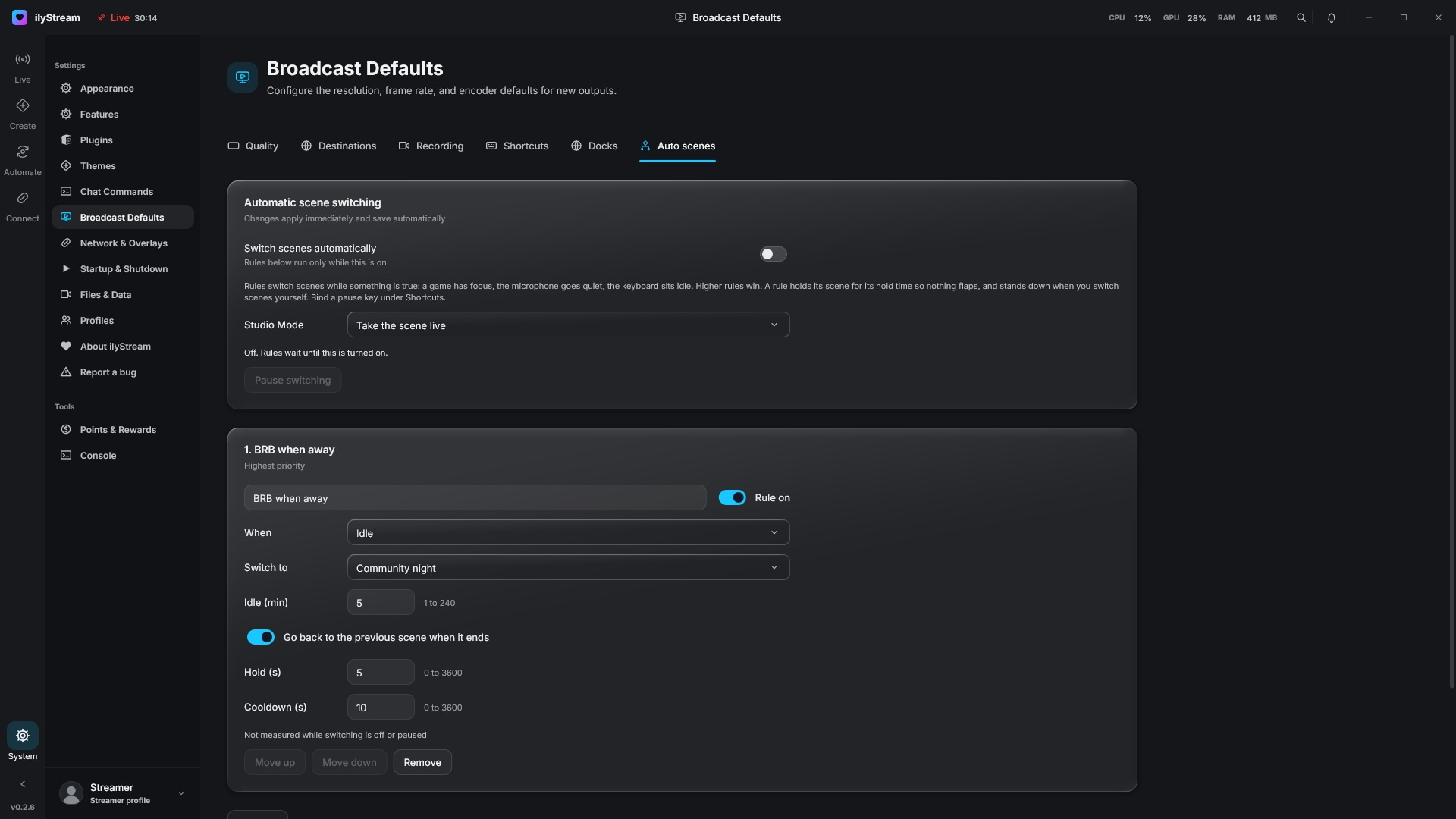
Native 0.2.6 · open full screenshot Switch for an active application or game, idle time, audio level, time of day, elapsed stream time or output state. Set priority and hold time, and choose Program or Preview in Studio Mode. A manual scene change takes precedence until the rule’s condition clears and returns. Configure scene switching ↗ Choose
Turn on the tools you want. Open Features under System to choose from 22 optional tools and integrations.
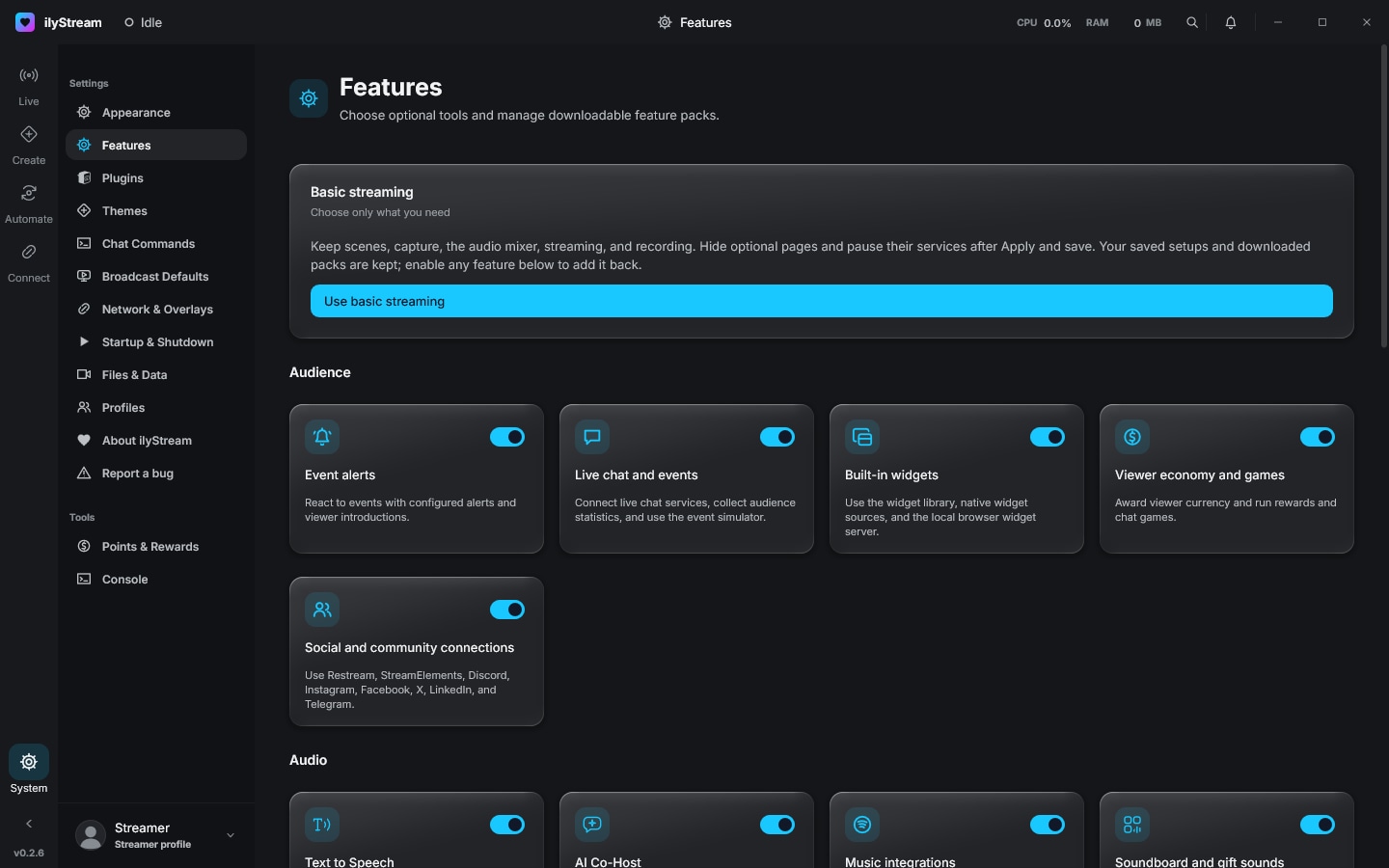
Native 0.2.6 · open full screenshot New installations start with optional tools off; existing profiles keep their choices. Use basic streaming or enable tools individually, then Apply and save. Download or remove separate packs for face tracking, background removal, standard natural voices and smaller lite voices. Optional tools and model packs ↗ Voice and sound
More control over what your audience hears. Speech setup, audience rules and the live queue now have dedicated views.
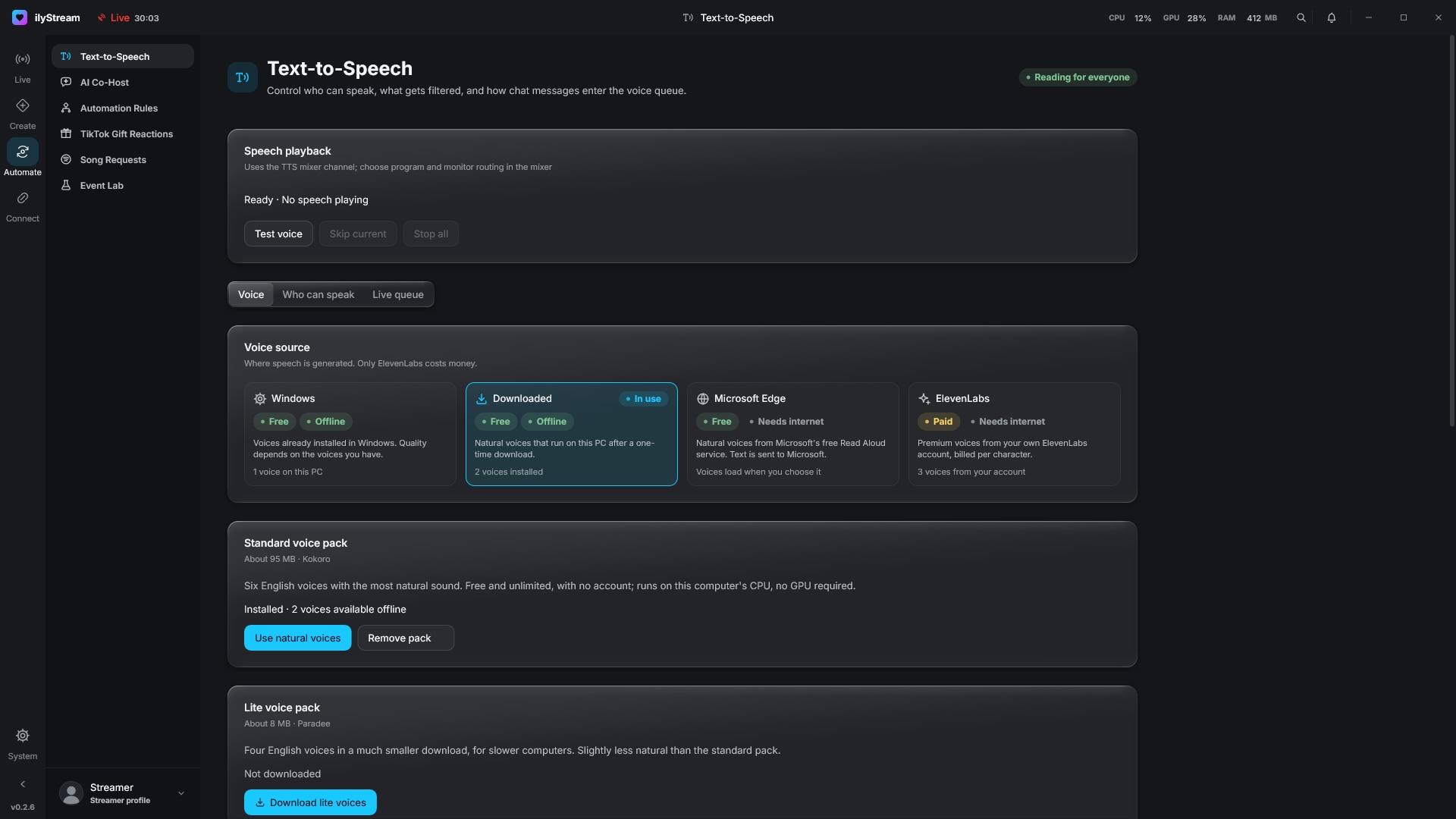
Native 0.2.6 · open full screenshot Choose Windows voices, downloaded standard/lite voices, Microsoft Edge Read Aloud or ElevenLabs. Review or skip queued speech, and check Co-Host model/voice readiness before enabling replies. Use downward expansion and polarity inversion in the mixer, with separate stream, recording and monitoring routes. Speech and voice setup ↗ Audience reactions
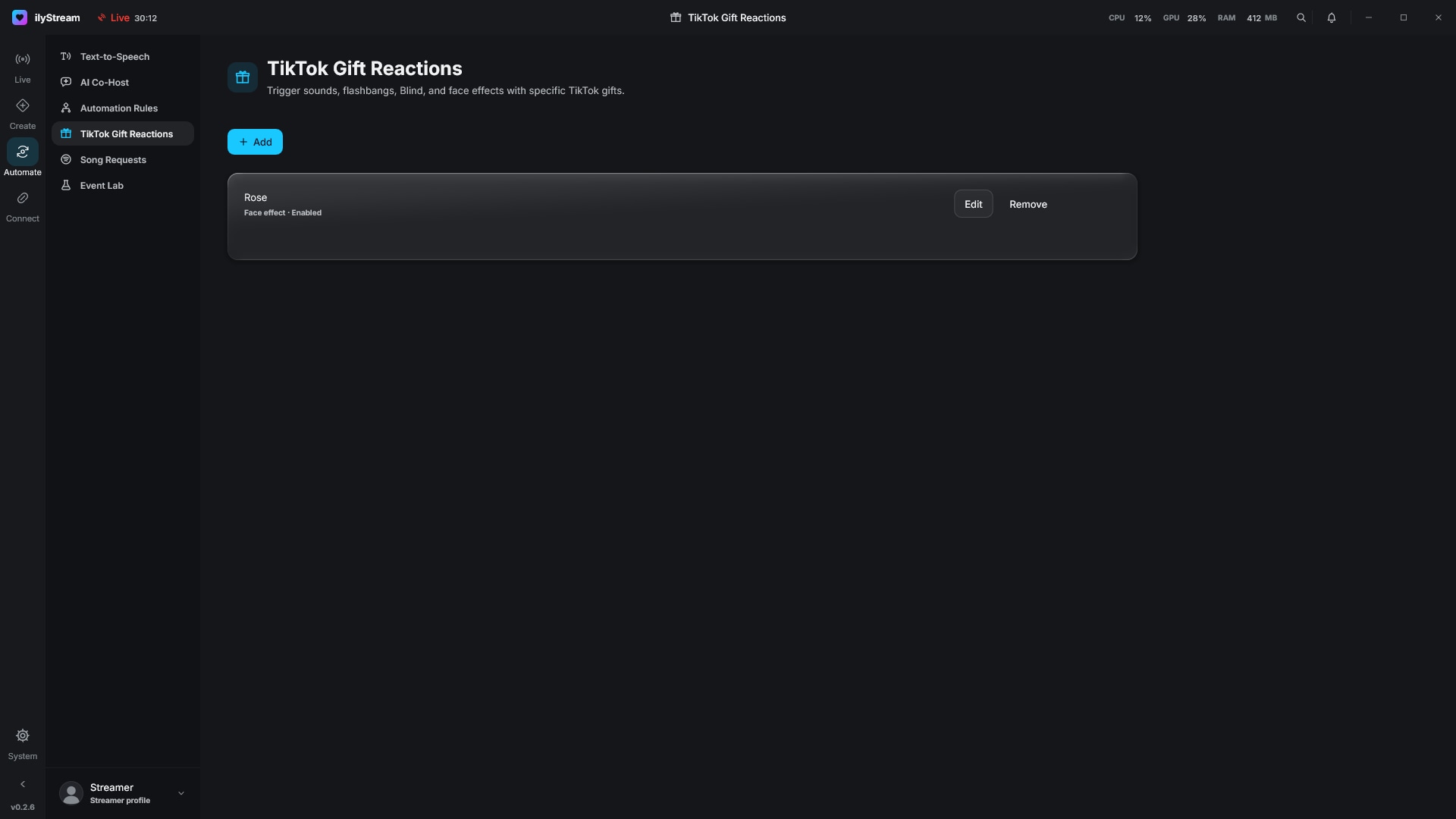
Let a gift do more than play a sound. TikTok Gift Reactions combine a specific gift with an optional sound and visual or face effect.
Native 0.2.6 · open full screenshot Set volume and cooldown for each gift reaction. Use dedicated live views for the soundboard and compact chat. Inspect a timeline event to see its alert, widget, speech and automation outcomes. Configure gift reactions ↗ Extend
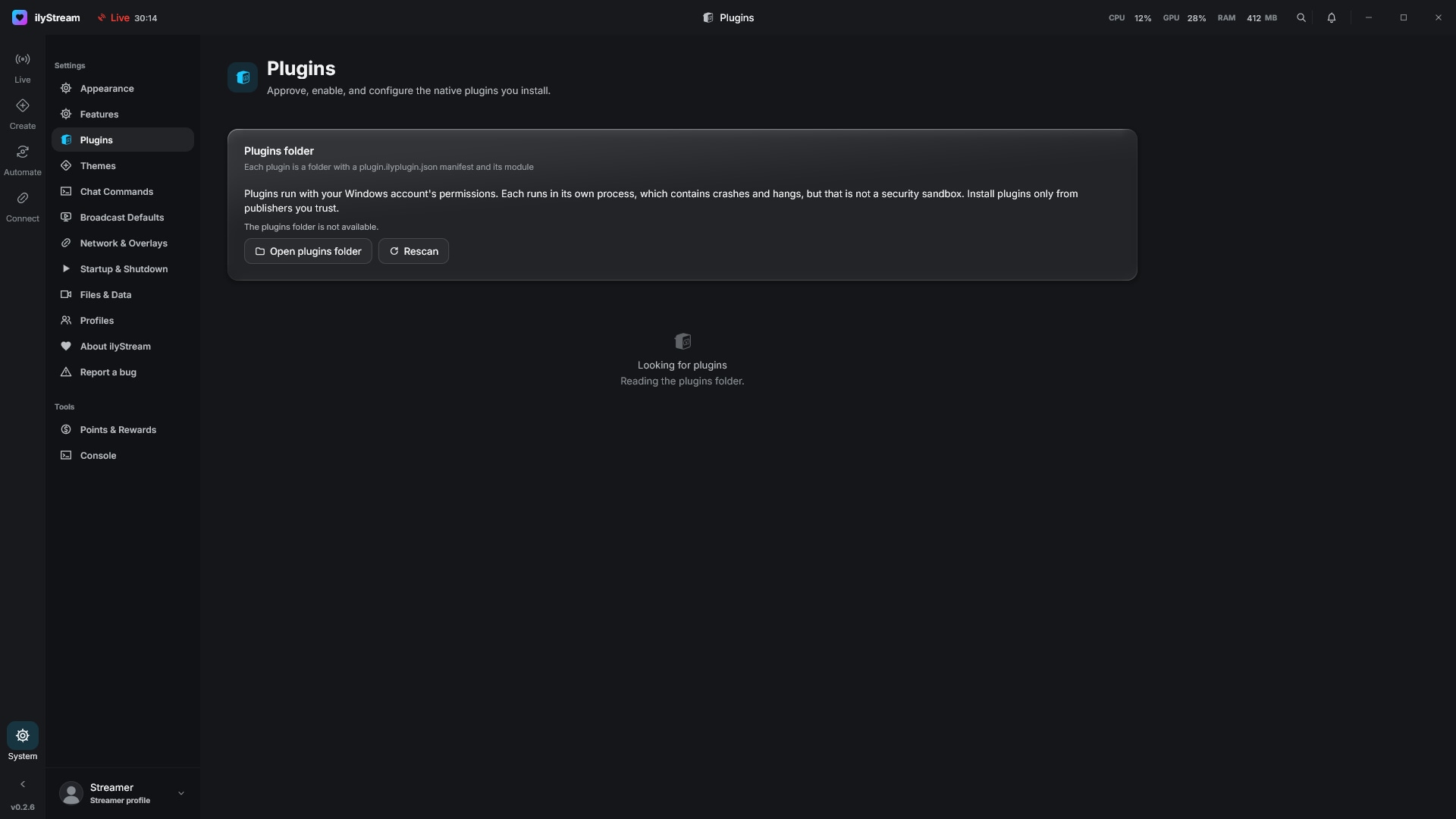
Plugins, browser docks and controller access. Extend the show with native plugin actions and events, web tools and expanded remote controls.
Native 0.2.6 · open full screenshot Approve each exact plugin module before enabling it. Plugin video sources remain in development. Keep chat popouts and stream managers in saved browser docks. Use the supported v5 WebSocket requests and DeskThing 0.2.6 for Studio, mixer, source and output controls. Native plugin preview ↗ Keep track
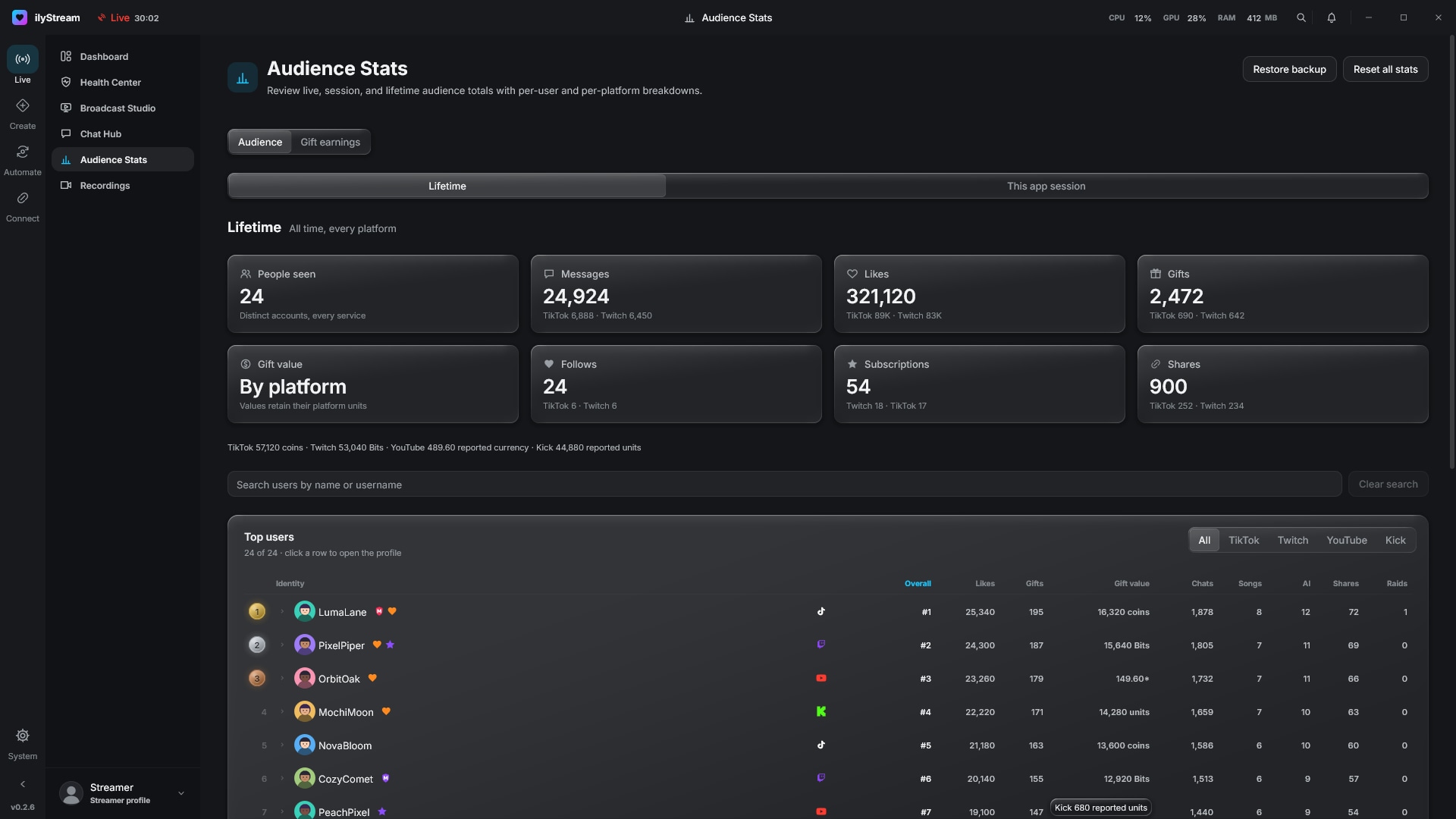
Find what happened. Keep what matters. Audience statistics, event evidence and logs are easier to inspect and recover.
Native 0.2.6 · open full screenshot Compare lifetime and this-session totals, and restore audience backups before or after a reset. Search and filter Console records, pause the view and copy the filtered log. Reconnect browser overlays over WebSockets, and use the fully translated interface in all nine supported languages. Audience statistics and recovery ↗ Before you update
Check your model packs. Face tracking and camera background removal need a one-time model-pack download from Features under System . Existing profiles keep their optional-tool choices; new installations start with optional tools off.
If you’re updating from before 0.2.5, select the Horizontal or Vertical virtual camera again in receiving apps. The 0.2.6 camera add-on supports Store app 0.2.5 or newer and updates separately from the Store app.
Installation and updates ↗ Preview software. Local checks don’t cover every device, game, network or platform. Full release notes
Get ilyStream for Windows Choose Microsoft Store or the direct Windows installer. Both are free.
Microsoft Store edition of ilyStream Updates through the Store
Easy installation with updates managed by Microsoft Store.
Direct download of ilyStream Windows installer (.exe)
Download directly from GitHub, with updates through ilyStream.
Download for Windows (.exe) Free Windows 11 (x64) Direct installer 0.2.6 preview