Download ilyStream
The streaming studio for Windows 11. Free to use.
'/%3e%3cpath%20fill='%2305070d'%20d='M32%2044.5c-.9-.6-14-8.6-14-17%200-4.1%203.1-7.3%207-7.3%202.9%200%205.4%201.7%207%204.3%201.6-2.6%204.1-4.3%207-4.3%203.9%200%207%203.2%207%207.3%200%208.4-13.1%2016.4-14%2017z'/%3e%3c/svg%3e)
ilyStream 0.1.0
The public installer isn’t available yet.
ilyStream 0.1.0 is a preview build. When the Windows installer is published it will appear right here, with its release notes and a SHA-256 checksum so you can verify the download.
Want to hear when it’s out? Email support@ilystream.app, or keep an eye on the changelog.
System requirements
- Operating system
- Windows 11
- Price
- Free
- Internet connection
- Needed to connect live platforms and network services such as ElevenLabs, Spotify and hosted AI models.
Optional, for specific features
- Ollama to run the AI Co-Host on your own machine
- An ElevenLabs account for ElevenLabs voices in Text-to-Speech and the AI Co-Host
- A Spotify account for song requests
- A Philips Hue Bridge for Hue lighting
- Razer Synapse and Chroma-enabled devices for Razer Chroma lighting
Install
- Download the installer from this page.
- Run it and follow the prompts. Windows may show a SmartScreen prompt for new apps; only continue if the file came from ilystream.app and its checksum matches.
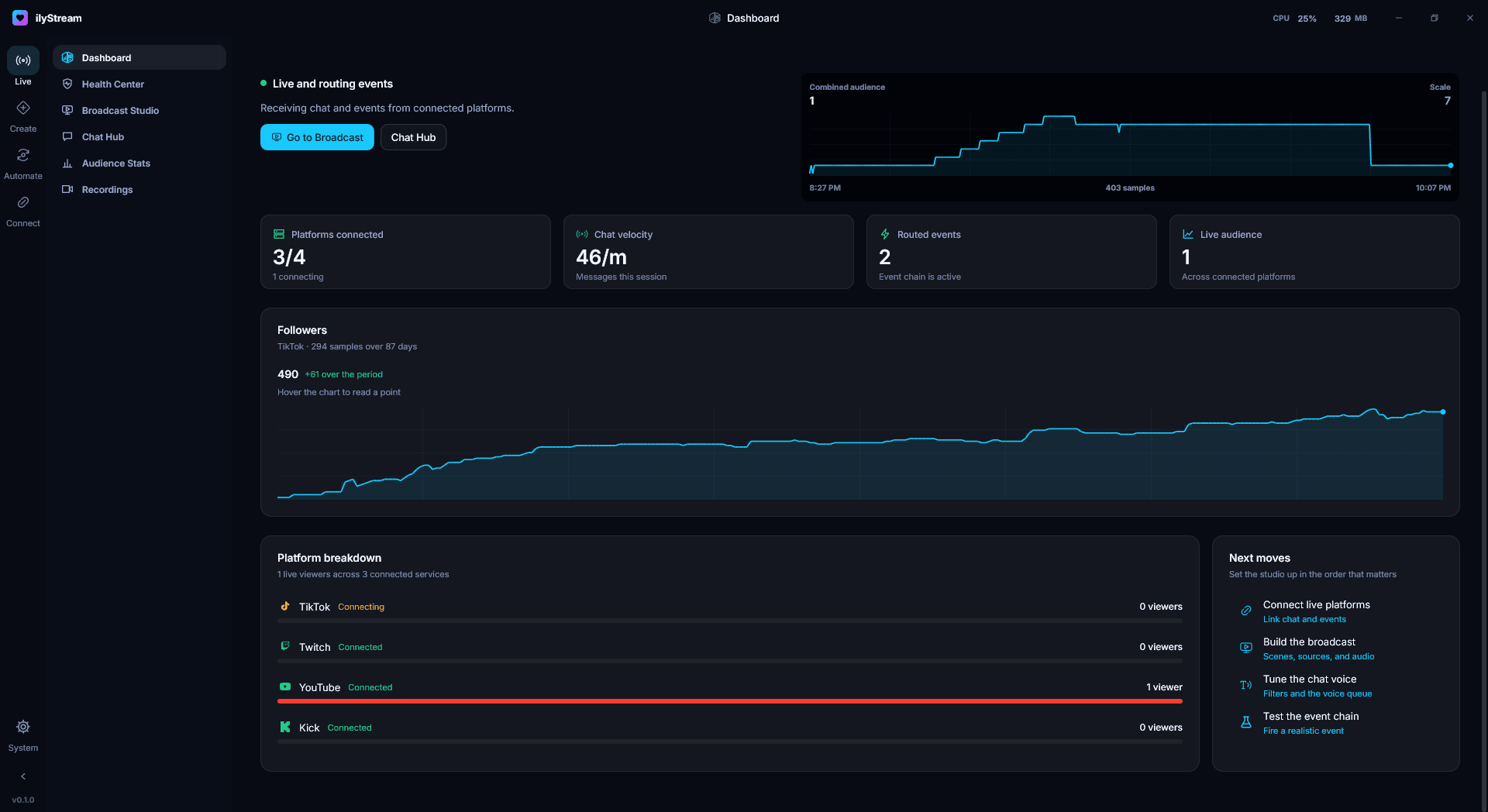
- Open ilyStream. The Dashboard’s Next moves walk you through connecting your platforms, building the broadcast, tuning the chat voice and testing the event chain.
Verify your download
In PowerShell, compare the output with the SHA-256 shown above:
Get-FileHash .\ilyStream-Setup.exe -Algorithm SHA256macOS and Linux
ilyStream runs on Windows only for now.