'/%3e%3cpath%20fill='%2305070d'%20d='M32%2044.5c-.9-.6-14-8.6-14-17%200-4.1%203.1-7.3%207-7.3%202.9%200%205.4%201.7%207%204.3%201.6-2.6%204.1-4.3%207-4.3%203.9%200%207%203.2%207%207.3%200%208.4-13.1%2016.4-14%2017z'/%3e%3c/svg%3e)
ilyStream + Spotify
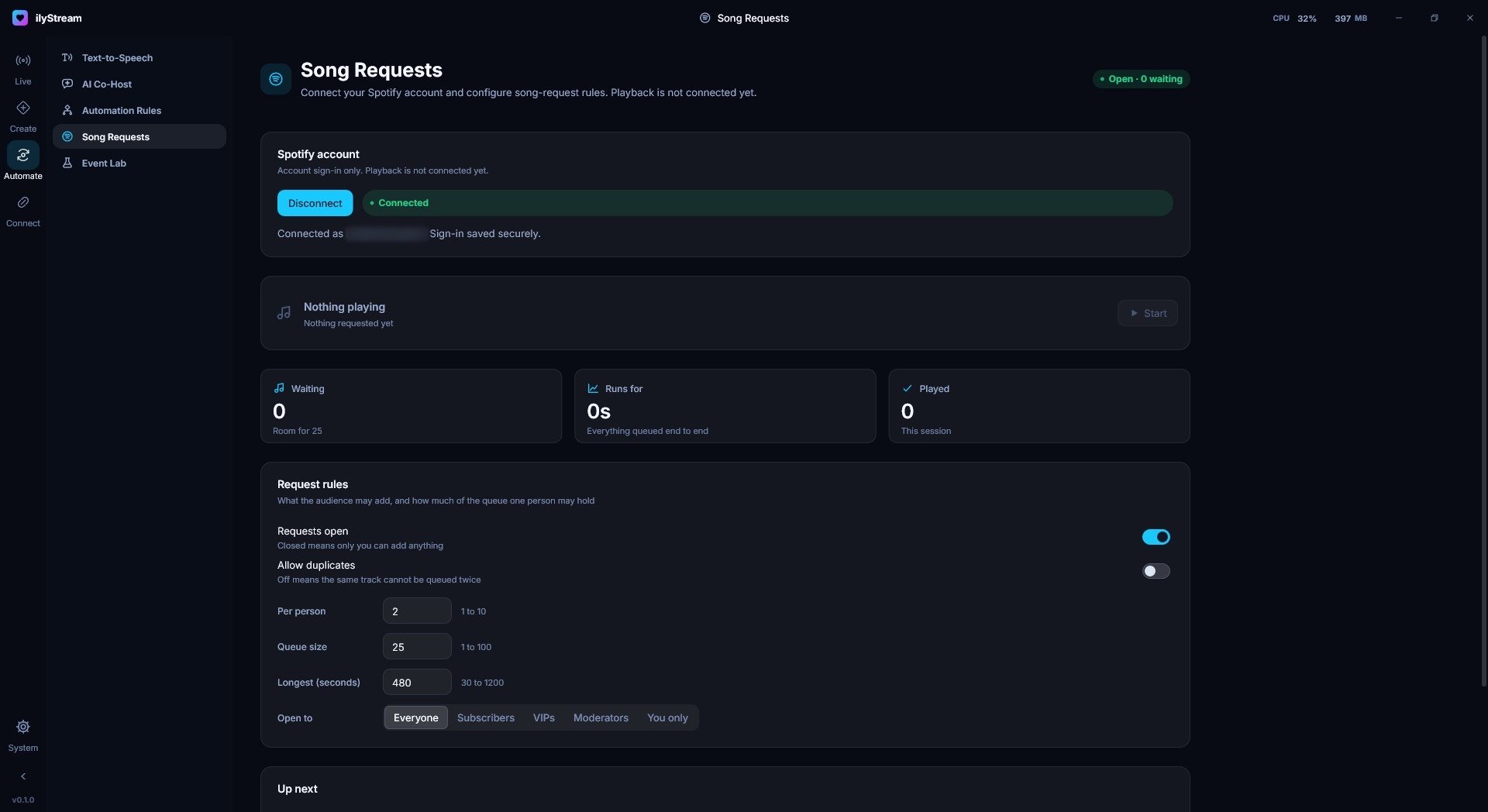
Sign in with Spotify to run song requests with a queue and rules you control.
What it does
- Sign in with your Spotify account from Song Requests.
- Set the rules for requests: open or closed, duplicates, requests per person, queue size, longest track, and who may request.
- Show the current request and what’s up next with the Now Playing widget.
Good to know
In ilyStream 0.1.0, Spotify is used for sign-in and song-request rules; playback control is not connected yet.
Data & privacy
- What ilyStream uses
- Your Spotify sign-in, used for song requests.
- Keys and sign-ins
- ilyStream saves your Spotify sign-in securely.
- Disconnect in ilyStream
Automate → Song Requests → Spotify account → Disconnect- Revoke access at Spotify
- Spotify → Account → Manage apps
ilyStream does not sell data from Spotify. Questions or deletion requests: privacy@ilystream.app · Data requests
Spotify is a trademark of its owner. ilyStream is an independent product and is not affiliated with or endorsed by Spotify.