
ilyStream + StreamElements
Multistream to TikTok, Twitch, YouTube, Kick and more from ilyStream, with a horizontal or vertical canvas for each destination.
What StreamElements does in ilyStream
- Prepares the destinations enabled in your StreamElements dock and streams to them from ilyStream’s own encoder.
- Routes each destination to your horizontal or vertical canvas, so both formats can go out together.
- Handles destination setup and TikTok LIVE room shutdown, including a retry when shutdown is unconfirmed.
- Separately receives tips and optional follow events through the channel-ID/JWT event connector.
Where to find it
- 1Open ilyStream
Start from the app’s main navigation.
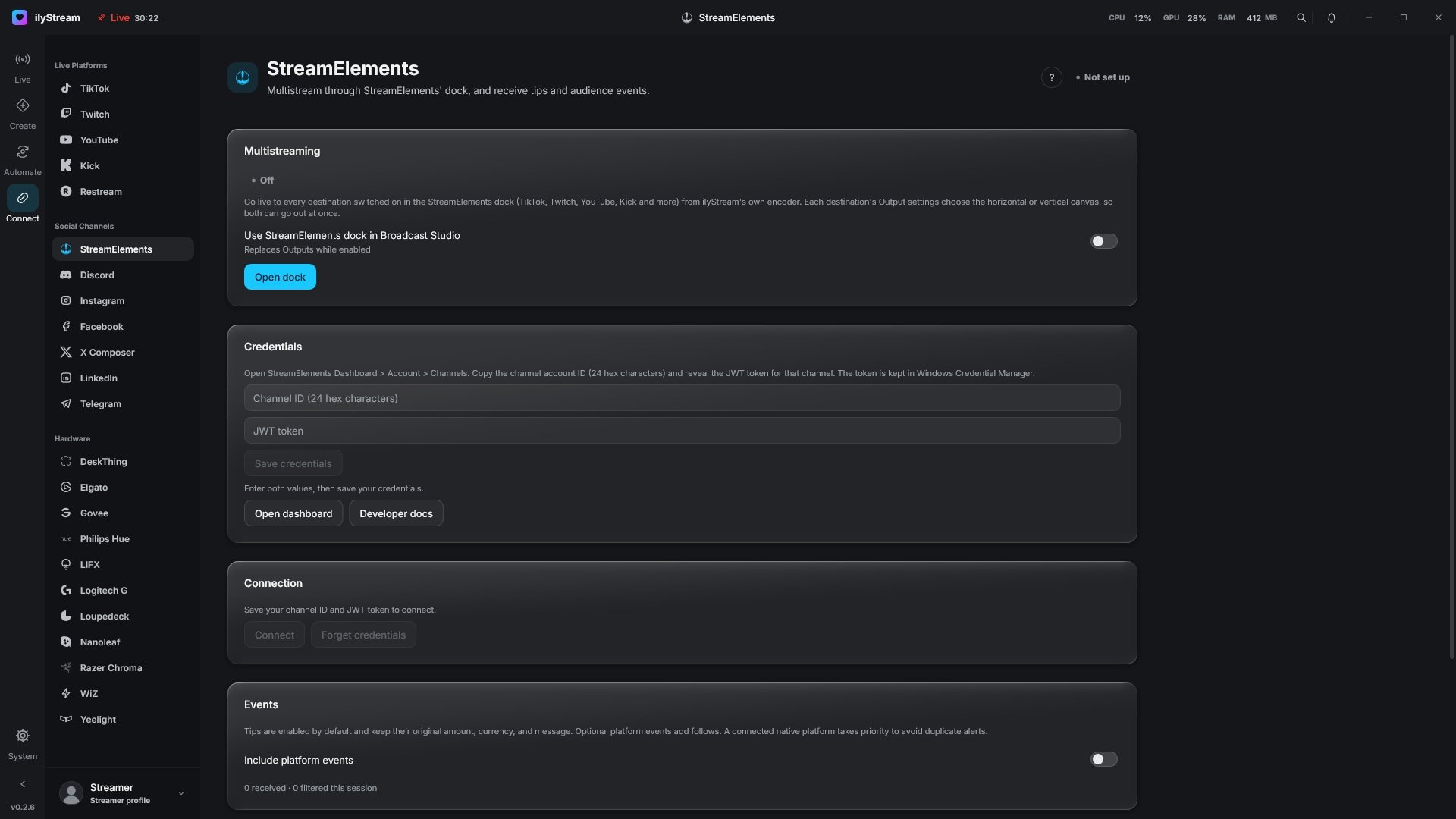
- 2Go to Connect → Social Channels → StreamElements
The integration lives here in the current app.
- 3Connect or configure StreamElements
Use the controls on that page to finish the integration and choose how it behaves.
What it looks like
Good to know
Choose H.264 for dock streaming. Platform eligibility and StreamElements account availability apply. The event connector and streaming dock use separate connections.
Data & privacy
How ilyStream handles data from connected services is described in the Privacy Policy.
ilyStream does not sell data from StreamElements. Questions or deletion requests: privacy@ilystream.app · Data requests
More live platforms
 Restream
StreamElements is a trademark of its owner. ilyStream is an independent product and is not affiliated with or endorsed by StreamElements.