
ilyStream + YouTube
YouTube live chat and viewers, with members and moderators recognized.
What YouTube does in ilyStream
- Brings YouTube live chat and events into ilyStream alongside your other platforms.
- Shows your YouTube viewers in the Dashboard platform breakdown.
- Recognizes channel members and moderators, for example when choosing who Text-to-Speech reads.
Where to find it
- 1Open ilyStream
Start from the app’s main navigation.
- 2Go to Connect → Live Platforms → YouTube
The integration lives here in the current app.
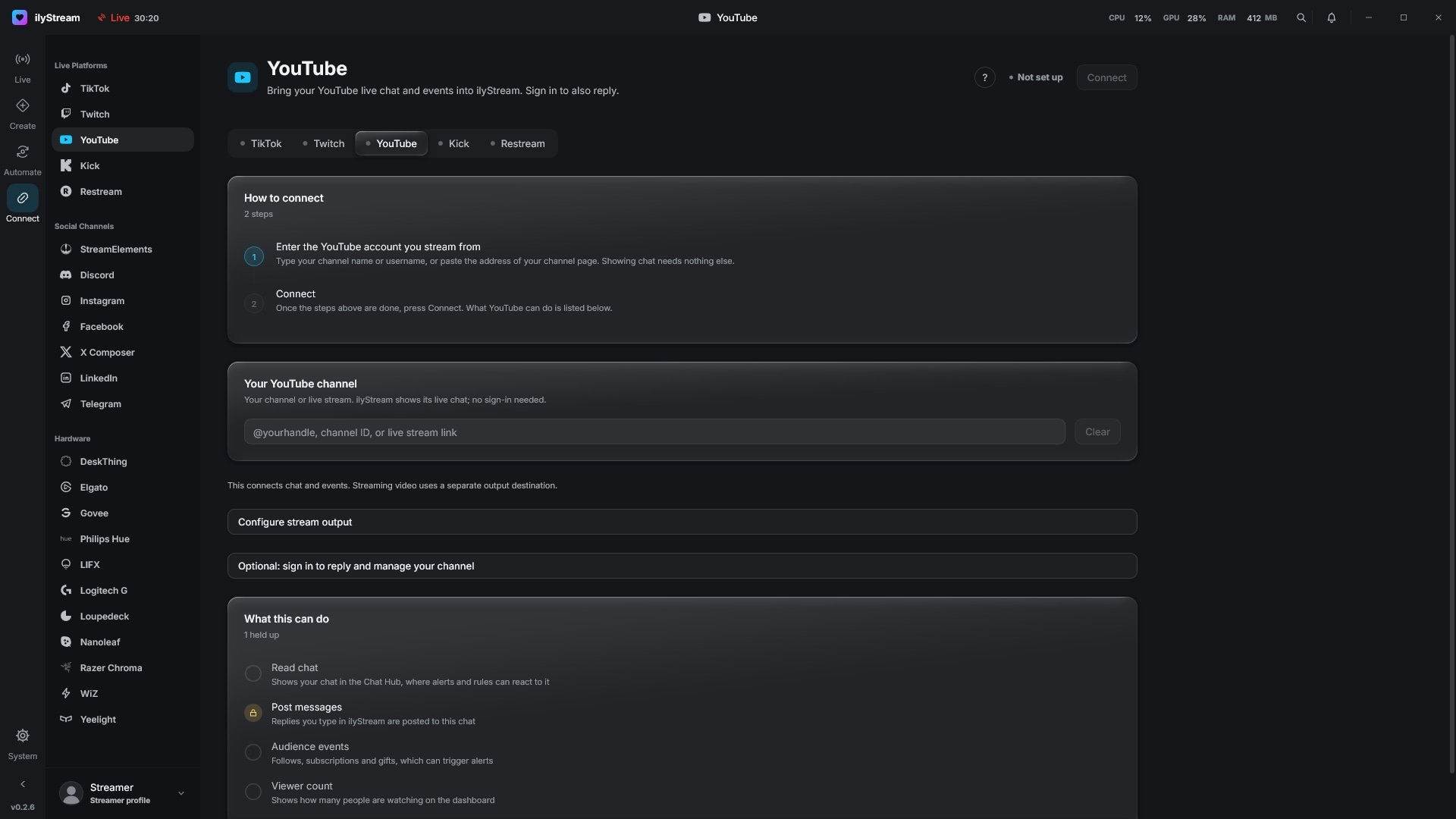
- 3Connect or configure YouTube
Use the controls on that page to finish the integration and choose how it behaves.
What it looks like
Good to know
YouTube doesn’t tell apps who subscribes to a channel, so subscriber-only features can’t tell YouTube subscribers apart. Text-to-Speech reads YouTube members and moderators instead.
Data & privacy
- What ilyStream uses
- Live chat messages and events while you are live, to show them in ilyStream and drive your alerts, widgets and automations.
- The display name, avatar and membership or moderator status attached to each message.
- Your live viewer count, for the Dashboard.
- Where it goes
- Audience totals are kept by the ilyStream app on your PC. You can clear them any time with Reset all stats in Audience Stats.
- Revoke access at YouTube
- Google Account → Third-party connections
ilyStream does not sell data from YouTube. Questions or deletion requests: privacy@ilystream.app · Data requests
More live platforms
 Restream
YouTube is a trademark of its owner. ilyStream is an independent product and is not affiliated with or endorsed by YouTube.