
ilyStream + Telegram
Connect a Telegram bot and post to a chat or channel from ilyStream.
What Telegram does in ilyStream
- Verify a bot token and a chat ID or public channel.
- Publish a message when you explicitly send it.
Where to find it
- 1Open ilyStream
Start from the app’s main navigation.
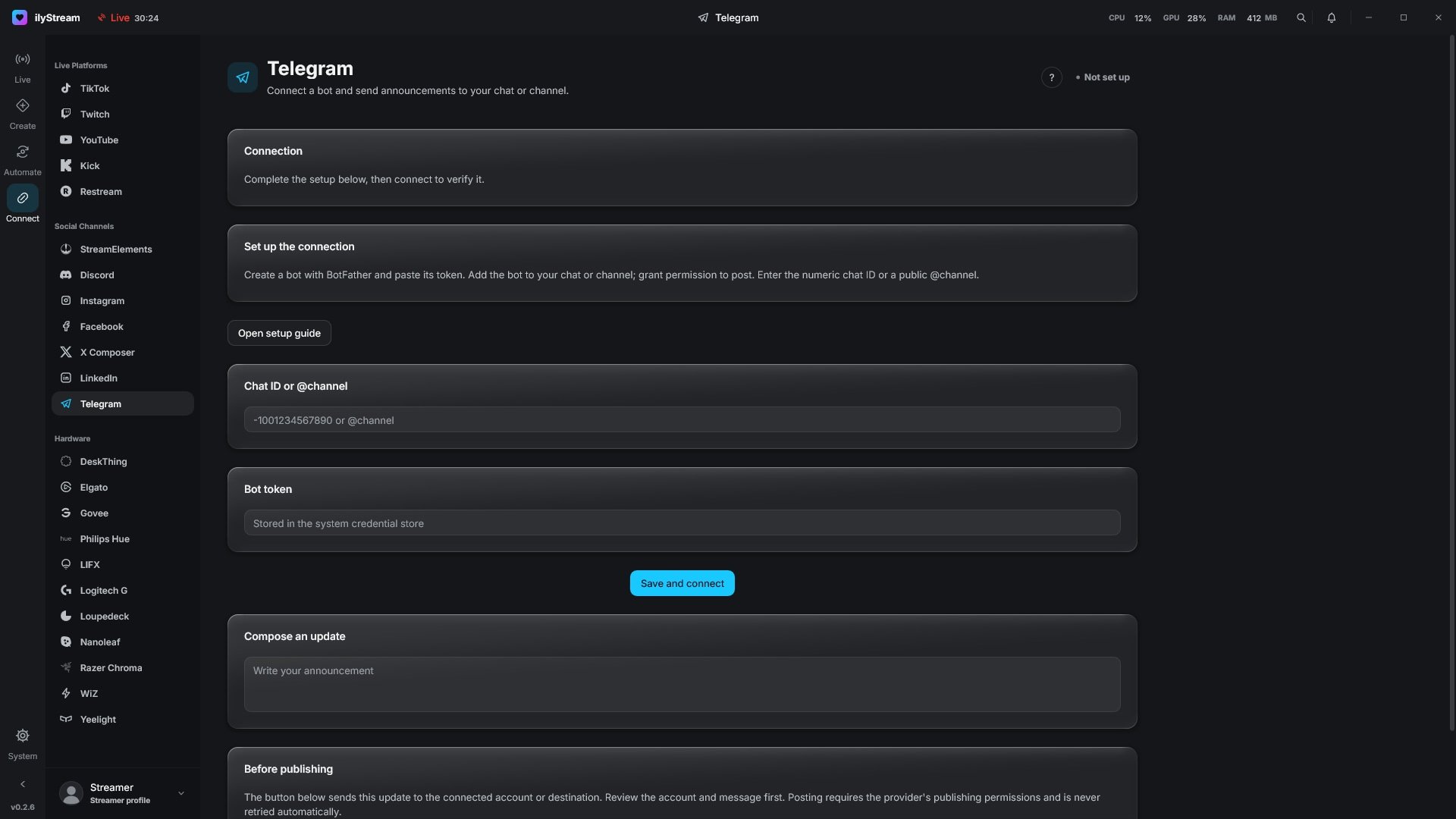
- 2Go to Connect → Social Channels → Telegram
The integration lives here in the current app.
- 3Connect or configure Telegram
Use the controls on that page to finish the integration and choose how it behaves.
What it looks like
Good to know
Add the bot to the destination and give it permission to post.
Data & privacy
- What ilyStream uses
- Your bot token and chat or channel destination to verify the connection and publish messages you request.
- Keys and sign-ins
- The bot token is kept in the system credential store.
- Disconnect in ilyStream
Connect → Social Channels → Telegram → Forget saved setup
ilyStream does not sell data from Telegram. Questions or deletion requests: privacy@ilystream.app · Data requests
More community & social
 LinkedIn
Telegram is a trademark of its owner. ilyStream is an independent product and is not affiliated with or endorsed by Telegram.