'/%3e%3cpath%20fill='%2305070d'%20d='M32%2044.5c-.9-.6-14-8.6-14-17%200-4.1%203.1-7.3%207-7.3%202.9%200%205.4%201.7%207%204.3%201.6-2.6%204.1-4.3%207-4.3%203.9%200%207%203.2%207%207.3%200%208.4-13.1%2016.4-14%2017z'/%3e%3c/svg%3e)
Set up Razer Chroma
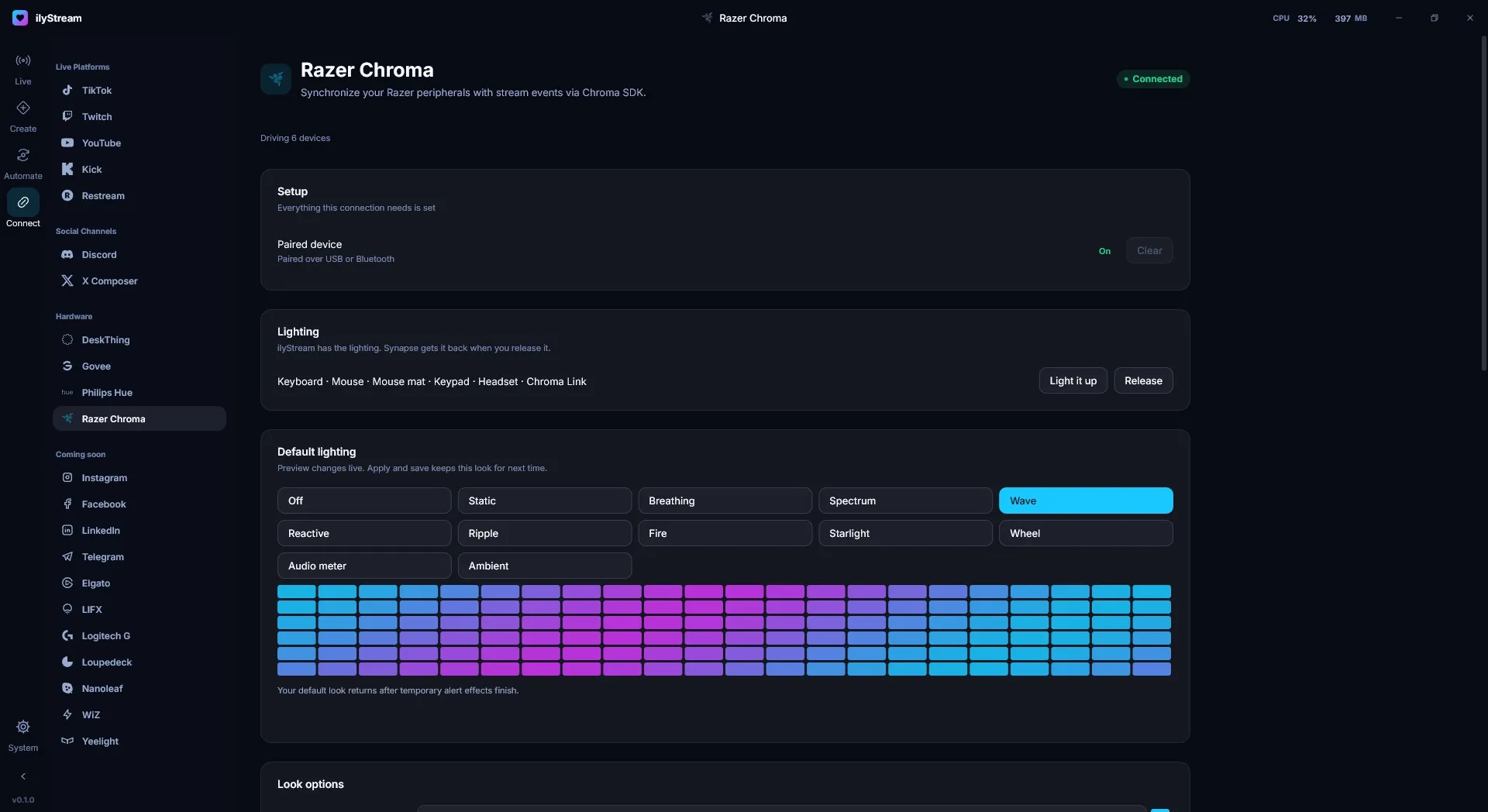
Connect → Hardware → Razer Chroma synchronizes your Razer peripherals with stream events through the Razer Chroma SDK.
Before you start
Section titled “Before you start”You need Razer Synapse and Chroma-enabled devices connected to your PC over USB or Bluetooth.
Under Setup, Paired device shows On when ilyStream can reach your devices. The page header shows how many devices ilyStream is driving.
Take or release control
Section titled “Take or release control”The Lighting card lists the device types ilyStream is driving — for example keyboard, mouse, mouse mat, keypad, headset and Chroma Link.
- Light it up gives lighting control to ilyStream.
- Release hands control back to Razer Synapse.
Default lighting
Section titled “Default lighting”Pick the look your devices show when nothing is happening on stream:
Off, Static, Breathing, Spectrum, Wave, Reactive, Ripple, Fire, Starlight, Wheel, Audio meter or Ambient.
Changes preview live on your devices and in the key grid on the page. Apply and save keeps the look for next time. Fine-tune it under Look options.
Alert effects triggered by stream events play on top; your default look returns once they finish.