'/%3e%3cpath%20fill='%2305070d'%20d='M32%2044.5c-.9-.6-14-8.6-14-17%200-4.1%203.1-7.3%207-7.3%202.9%200%205.4%201.7%207%204.3%201.6-2.6%204.1-4.3%207-4.3%203.9%200%207%203.2%207%207.3%200%208.4-13.1%2016.4-14%2017z'/%3e%3c/svg%3e)
Themes
System → Settings → Themes is where you choose, create and edit themes, all in one library.
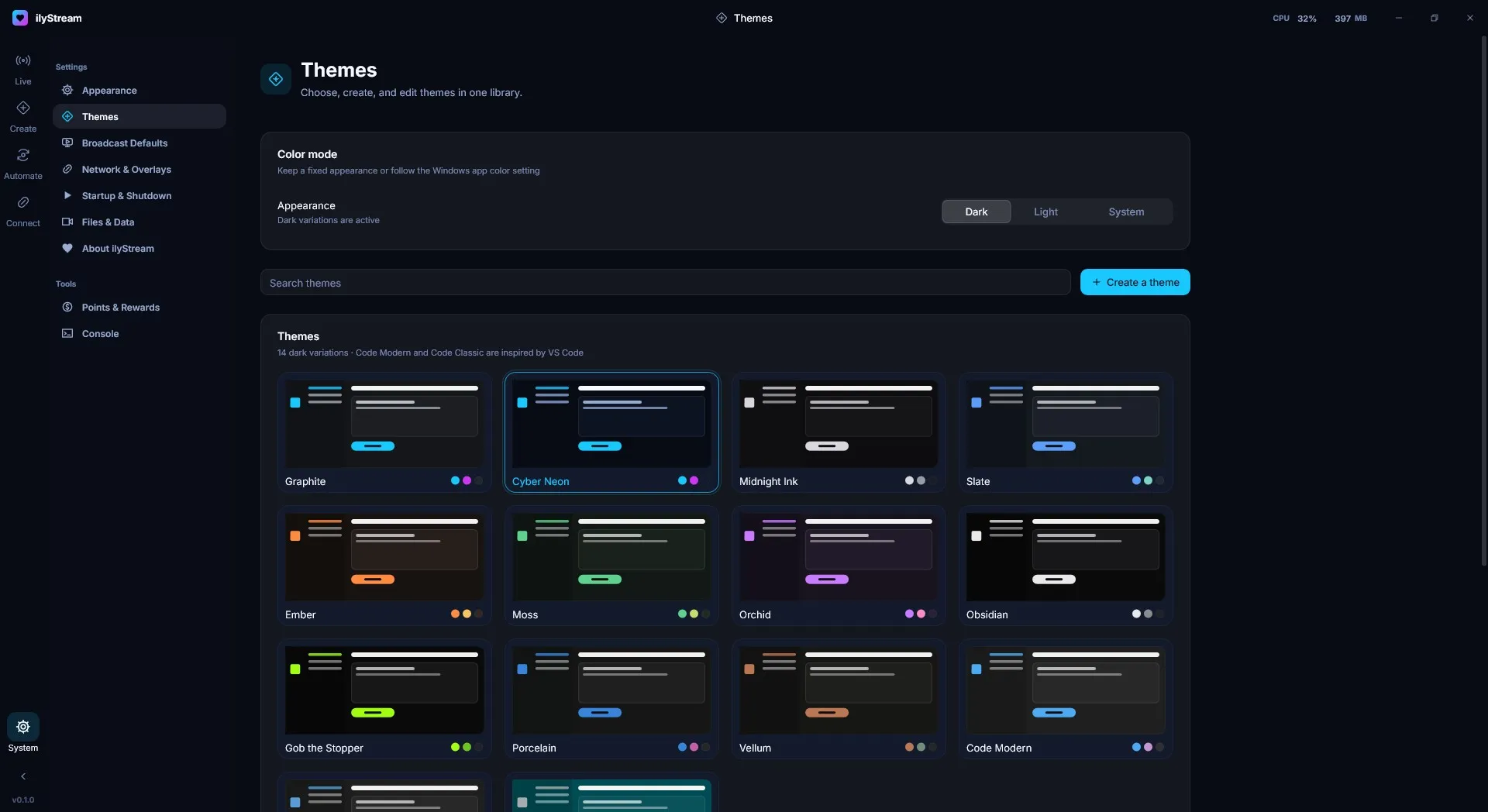
Color mode
Section titled “Color mode”Under Color mode, choose the Appearance:
- Dark — always use dark variations.
- Light — always use light variations.
- System — follow the Windows app color setting.
The theme library
Section titled “The theme library”The library shows every theme with a preview and its accent colors. Click a theme to use it; the one in use is highlighted. Use Search themes to filter the list.
ilyStream includes 14 dark variations, among them:
Graphite, Cyber Neon (ilyStream’s signature cyan and magenta), Midnight Ink, Slate, Ember, Moss, Orchid, Obsidian, Gob the Stopper, Porcelain, Vellum, Code Modern and Code Classic.
Code Modern and Code Classic are inspired by VS Code.
Create your own
Section titled “Create your own”Press Create a theme to add your own theme to the library.
© 2026 ilyStream