'/%3e%3cpath%20fill='%2305070d'%20d='M32%2044.5c-.9-.6-14-8.6-14-17%200-4.1%203.1-7.3%207-7.3%202.9%200%205.4%201.7%207%204.3%201.6-2.6%204.1-4.3%207-4.3%203.9%200%207%203.2%207%207.3%200%208.4-13.1%2016.4-14%2017z'/%3e%3c/svg%3e)
Audience Stats
Live → Audience Stats collects your audience totals across every platform, with per-person and per-platform breakdowns.
Lifetime totals
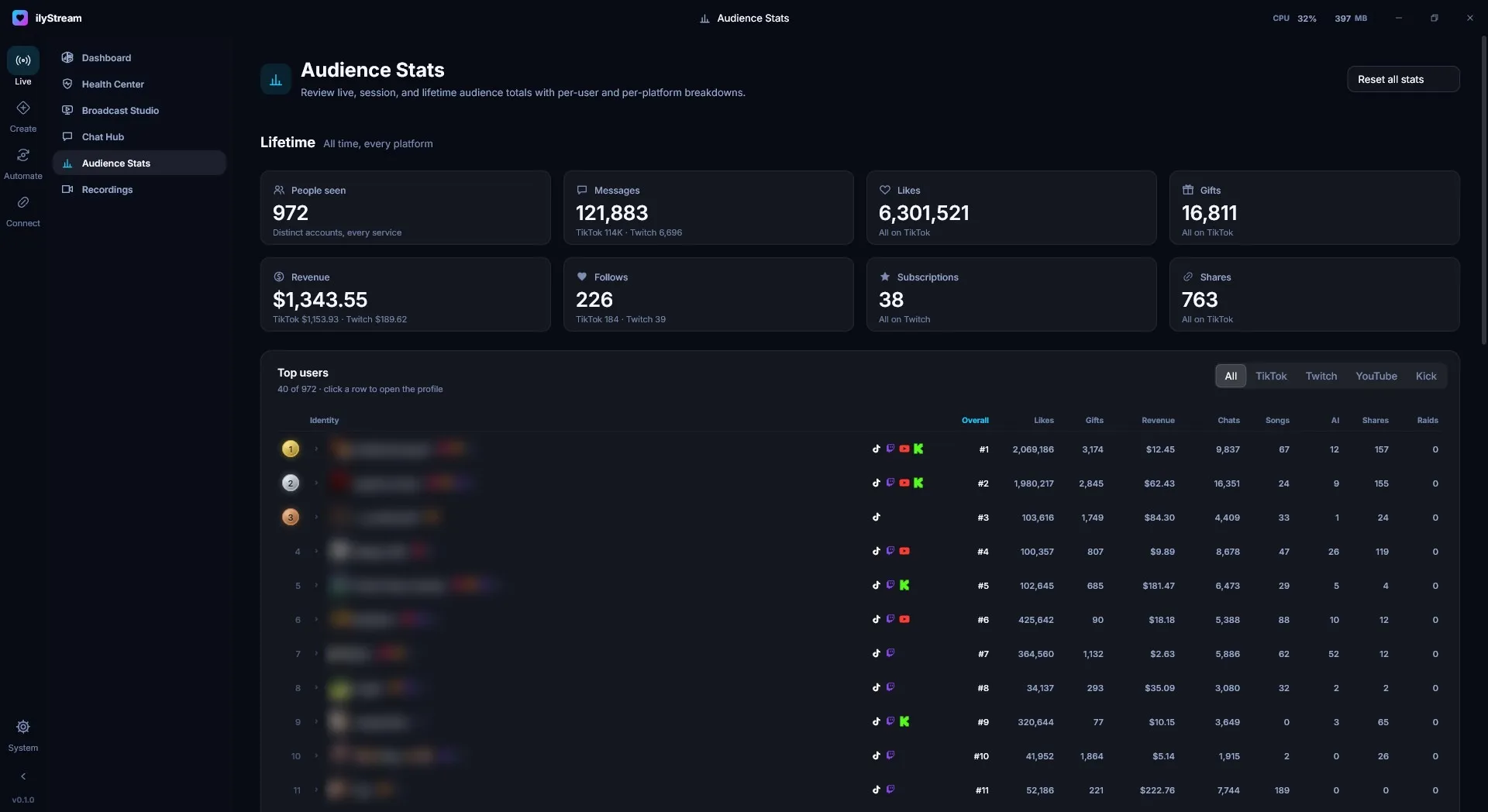
Section titled “Lifetime totals”The top of the page shows all-time totals across every platform. Where a total comes from more than one platform, the card breaks it down underneath.
| Card | What it counts |
|---|---|
| People seen | Distinct accounts across every service. |
| Messages | Chat messages. |
| Likes | Likes (TikTok). |
| Gifts | Gifts (TikTok). |
| Revenue | Revenue from platforms that report it. |
| Follows | New follows. |
| Subscriptions | Subscriptions (Twitch). |
| Shares | Shares (TikTok). |
Top users
Section titled “Top users”The Top users table ranks the people in your audience. Use the tabs to show All platforms or just TikTok, Twitch, YouTube or Kick.
Each row shows the person’s rank, their identity with badges and the platforms they use, and columns for likes, gifts, revenue, chats, songs requested, AI co-host interactions, shares and raids. Click a row to open that person’s profile.
Resetting
Section titled “Resetting”Reset all stats in the top-right corner clears your audience totals. Use it with care.
© 2026 ilyStream