
ilyStream + Philips Hue
Turn stream events into lighting reactions across your room.
What Philips Hue does in ilyStream
- Finds your Hue Bridge on your local network and pairs with it.
- Lists your lights by room so you can include or block each one.
- Event automation: choose the event, the color and the effect.
Where to find it
- 1Open ilyStream
Start from the app’s main navigation.
- 2Go to Connect → Hardware → Philips Hue
The integration lives here in the current app.
- 3Connect or configure Philips Hue
Use the controls on that page to finish the integration and choose how it behaves.
What it looks like
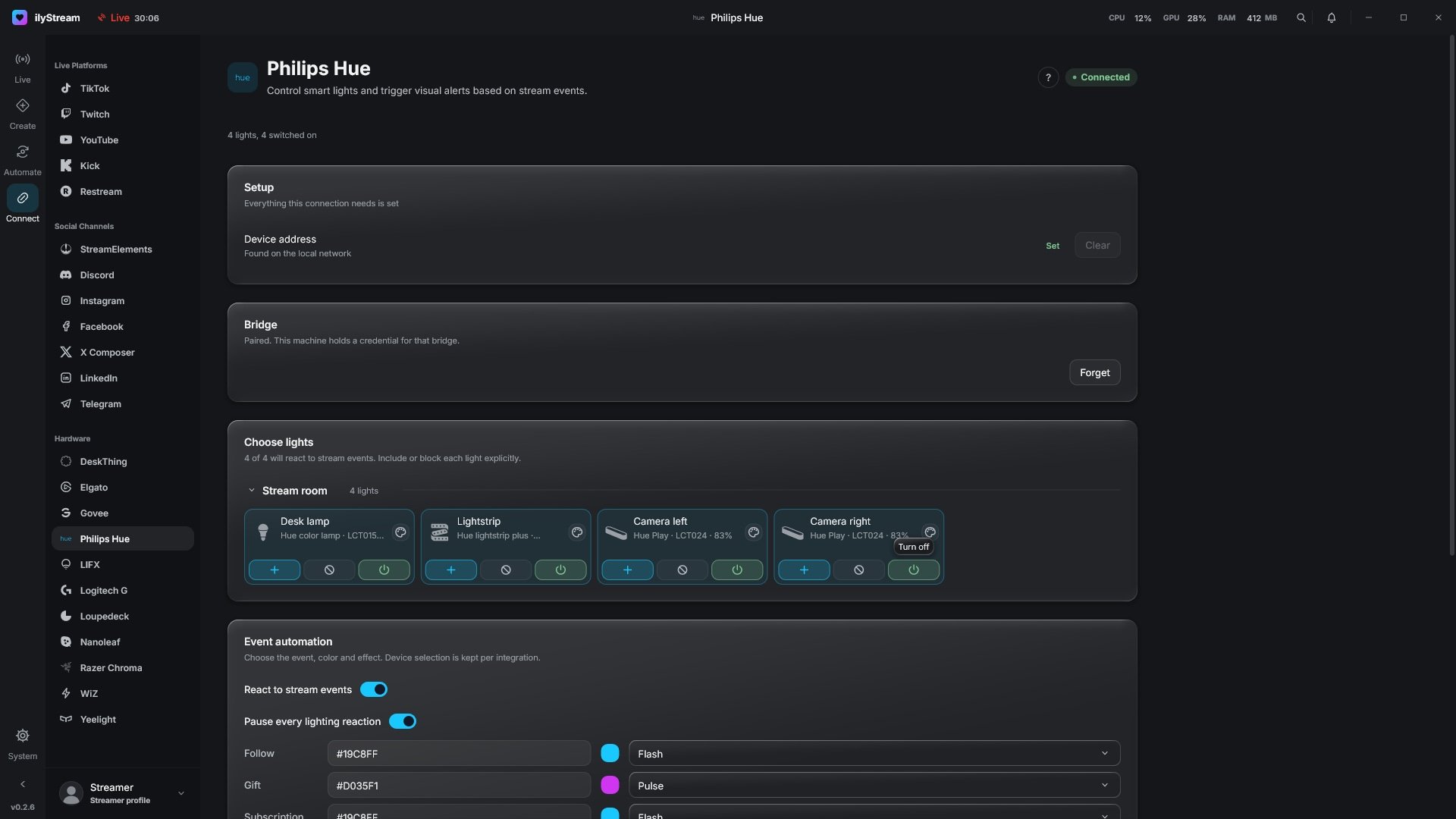
Philips Hue
Control smart lights and trigger visual alerts based on stream events.
Event colors and timing are shared across lighting integrations.
Razer Chroma
Synchronize your Razer peripherals with stream events via Chroma SDK.
Your default look returns after temporary alert effects finish.
Event colors and timing are shared across lighting integrations.

Govee
Discover and control Govee lights on your local network.
Event colors and timing are shared across lighting integrations.
Interactive website preview based on the current ilyStream hardware controls. It does not connect to your devices.
Current app screenshot
Data & privacy
- What ilyStream uses
- Your Hue lights and rooms, so you can choose which lights react to stream events.
- Where it goes
- ilyStream talks to your Hue Bridge over your local network.
- Keys and sign-ins
- Pairing gives this PC a credential for your bridge, kept by ilyStream on your PC.
- Disconnect in ilyStream
Connect → Hardware → Philips Hue → Bridge → Forget
ilyStream does not sell data from Philips Hue. Questions or deletion requests: privacy@ilystream.app · Data requests
More lighting & hardware
 Logitech G
 Loupedeck
 Nanoleaf
 WiZ
 Yeelight
 DeskThing
Philips Hue is a trademark of its owner. ilyStream is an independent product and is not affiliated with or endorsed by Philips Hue.